Rescue missions consist of locating and rescuing 1 to 6 injured people in various environments.
They are a unique job type designed for helicopters and light aircraft capable of landing in difficult terrain.
¶ 🗺️ Finding Rescue Jobs
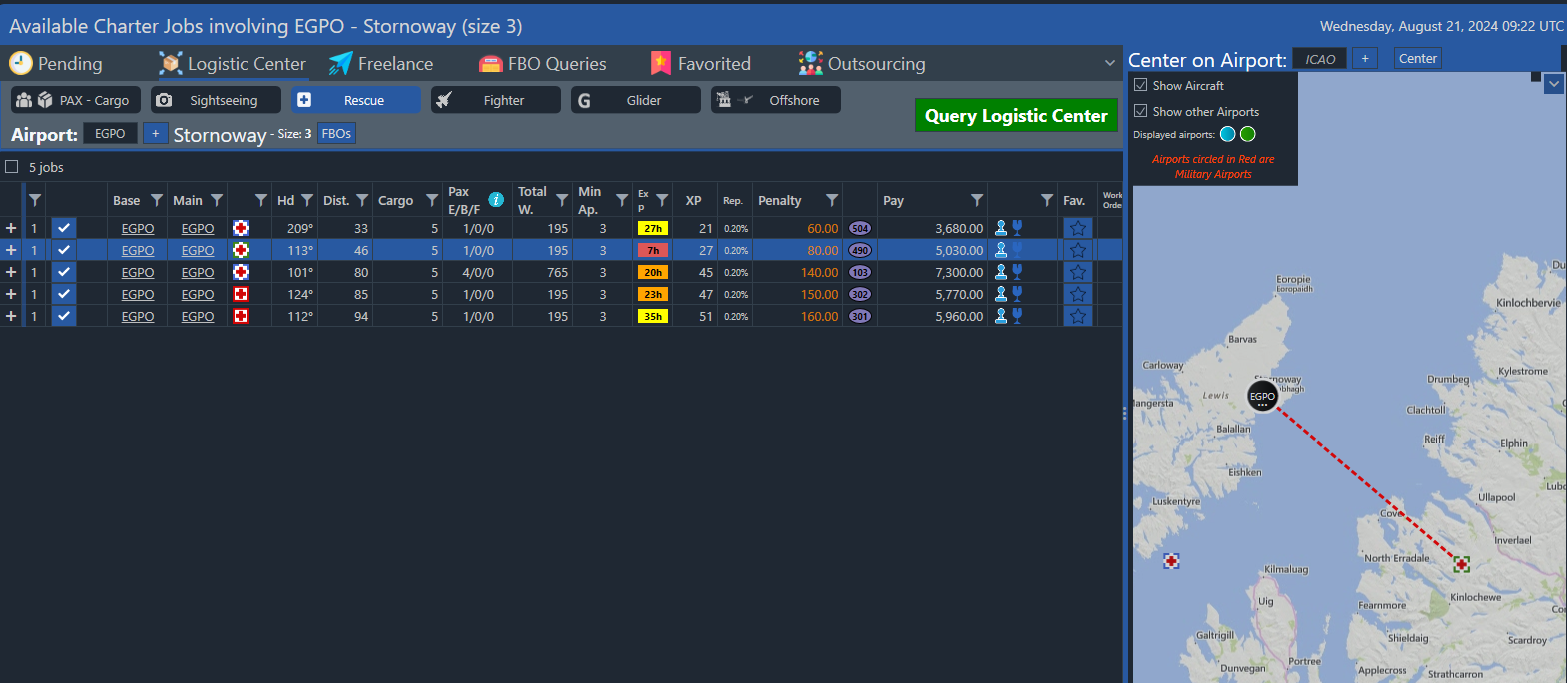
You can find Rescue Missions under their dedicated tab in the Logistics Center,
and search for them just like any other job.
¶ 🚨 Mission Types
There are five types of rescue missions, each represented by a different icon color and border pattern:
| Icon | Type | Description |
|---|---|---|
 |
Off-road Rescue (Known Location) | A land-based rescue with the exact coordinates known in advance. |
 |
Off-road Rescue (Search Required) | The rescue zone is unknown — you must search for the victims using the grid. |
 |
Road Accident Rescue | The incident took place on a road; location known. |
 |
Sea Rescue (Known Location) | The mission occurs over water with coordinates known in advance. |
 |
Sea Rescue (Search Required) | The incident is at sea with the location unknown; search needed. |
¶ 🧭 How to Start a Rescue Mission
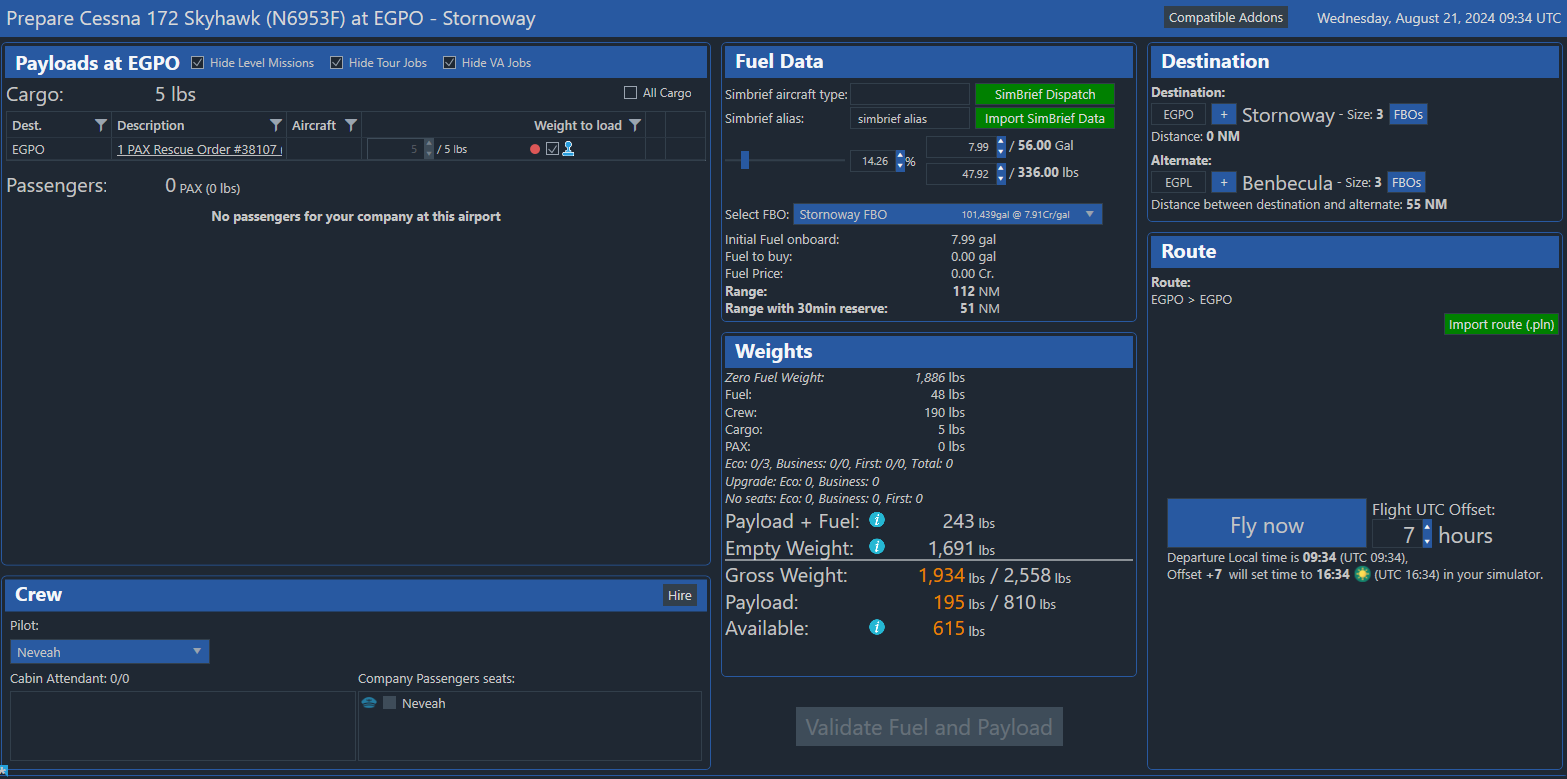
- Go to the Prepare Flight screen.
- Load the Rescue Order from your payload list.
- Start the flight as usual.
¶ 🟢 Missions with Known Locations
If your job includes a precise location, you’ll see it directly on the map.
Simply proceed to the marked area and prepare for landing.
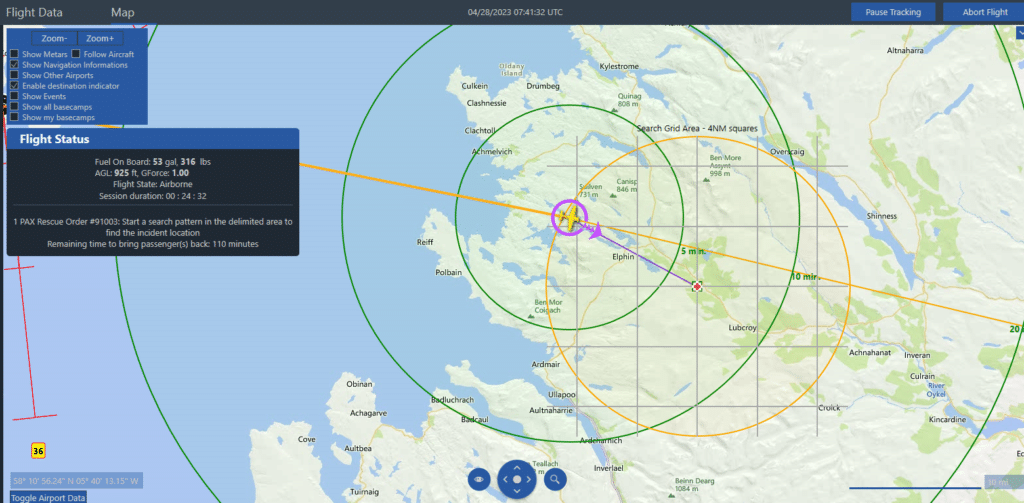
¶ 🟡 Missions with Search Zones
If no coordinates are provided, you’ll need to search manually.
A yellow circle and grid appear on your map to help you identify the general area and track your search coverage.
Fly systematically over the grid to locate the exact position of the injured people:
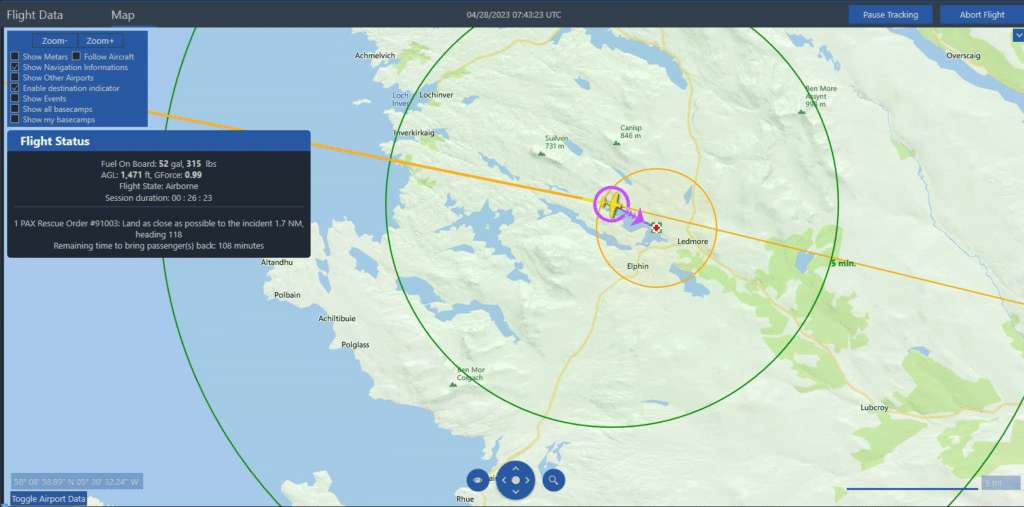
Once the incident is found, a smaller circle will appear — land as close as possible to the victims to speed up boarding.
¶ 🧍♀️ Boarding and Transport
- As soon as you land, the boarding timer begins automatically.
(Engines can stay on — no need to shut down.) - You’ll see a “Boarding in progress” message in the Flight Status panel.
- Once boarding is finished, the message changes to “Boarding complete.”
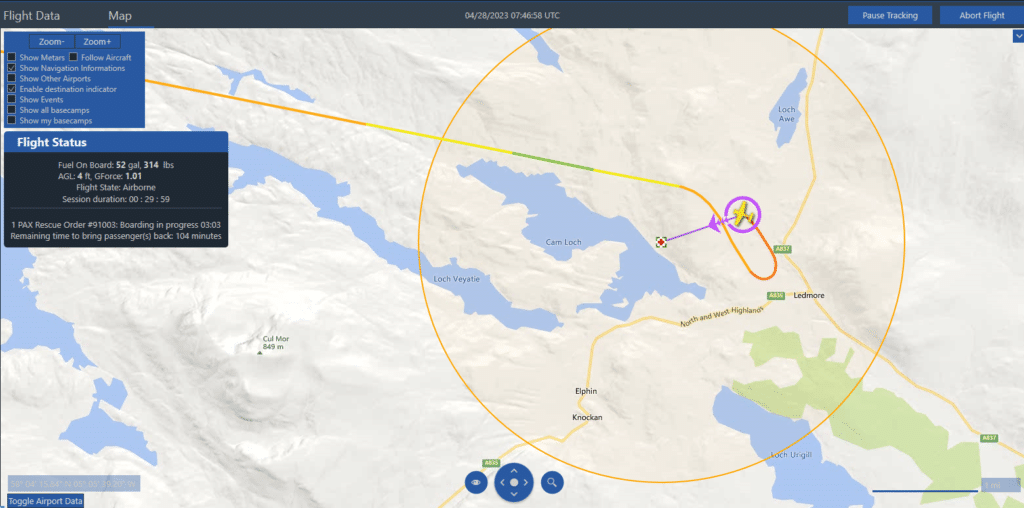
Now take off and fly to any valid airport before the mission timer expires.
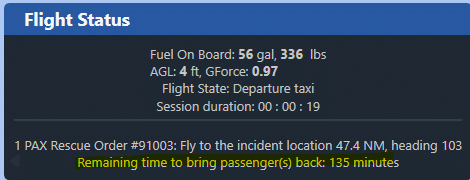
⚠️ Rescue missions must be flown manually — AI pilots cannot complete them.