¶ What is the 24-hour Freelance Pass?
The 24-hour Freelance Pass gives you access to OnAir’s Freelance features for 24 calendar hours of unlimited flight time.
These passes are designed to offer maximum flexibility: use a pass when you want, then enjoy full access to Freelance mode during the active 24-hour period.
Whether you’re flying occasionally, joining friends, or bringing new pilots into your virtual airline, Freelance Passes make it easy to access OnAir on demand.
¶ How does it work?
Using a 24-hour Freelance Pass is simple:
- Purchase passes
- Find them in your My Account page and in the OnAir client.
- Activate a pass whenever you want to use it.
- Get access to all the Freelance Features for 24 calendar hours of unlimited flight time.
The timer starts only when your first flight begins, not when it is purchased.
¶ Where can I buy 24-hour Freelance Passes?
You can purchase Freelance Passes from the pricing page:
https://www.onair.company/pricing/
¶ Where can I find my passes after purchase?
Once purchased, your passes will appear in your account here: https://www.onair.company/my-account/
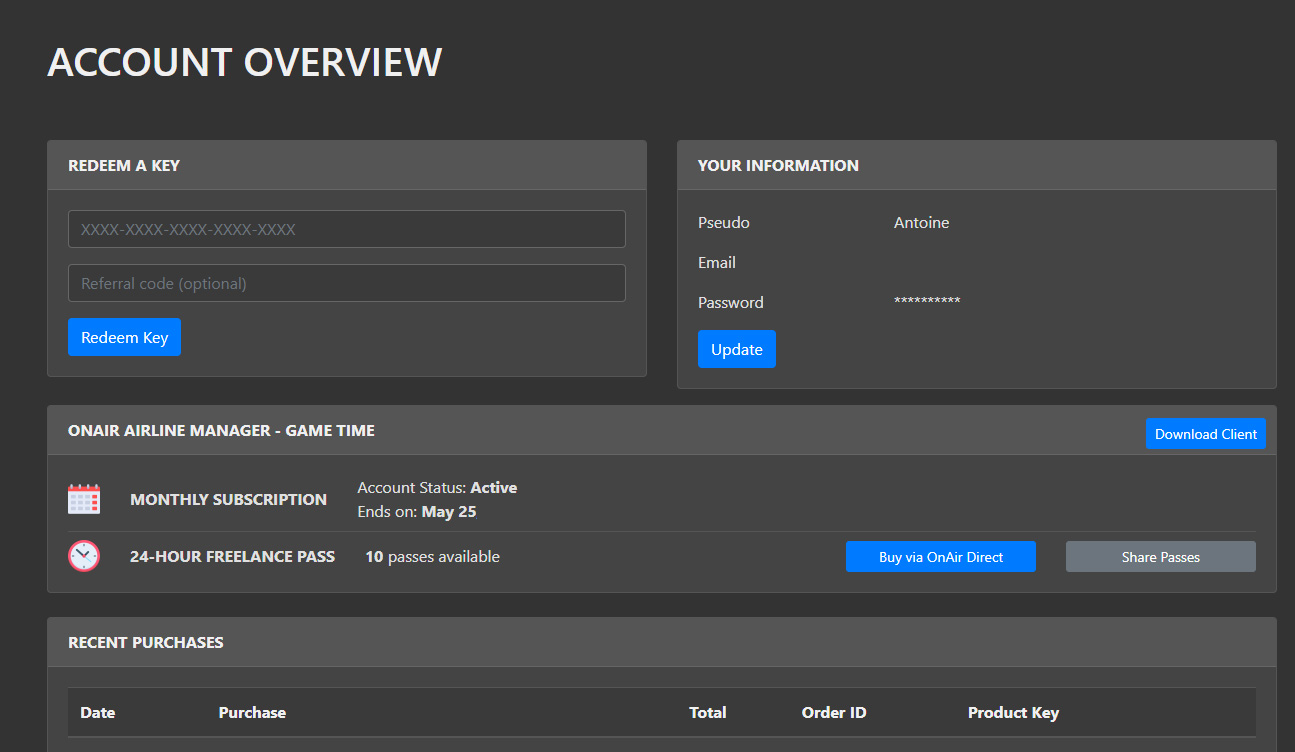
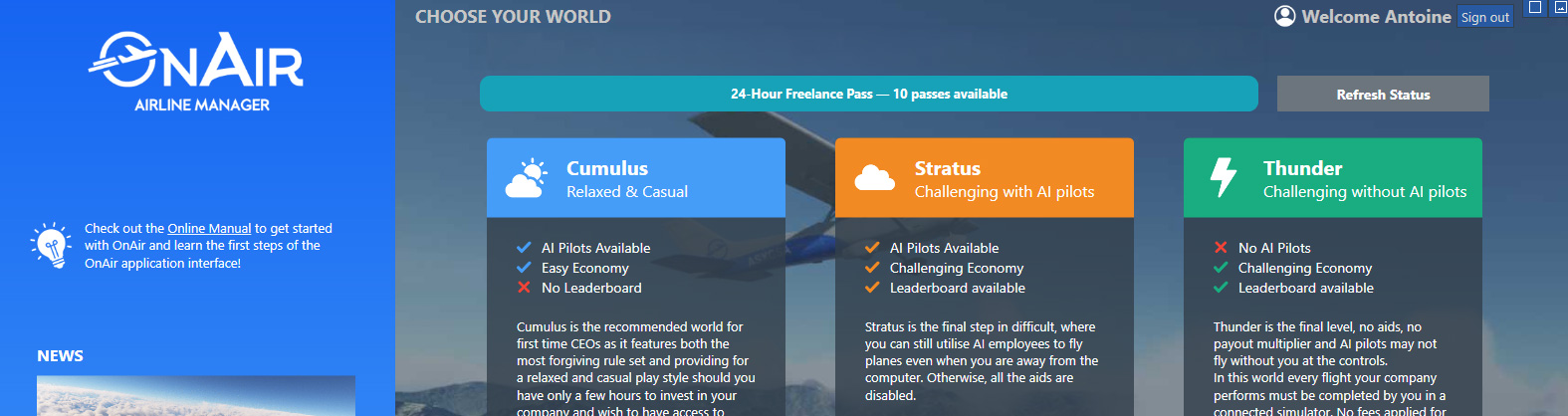
You will also be able to see them directly in the OnAir client.
¶ When does the 24-hour period start?
The 24-hour period does not start when you purchase the pass.
It starts when you start your first flight.
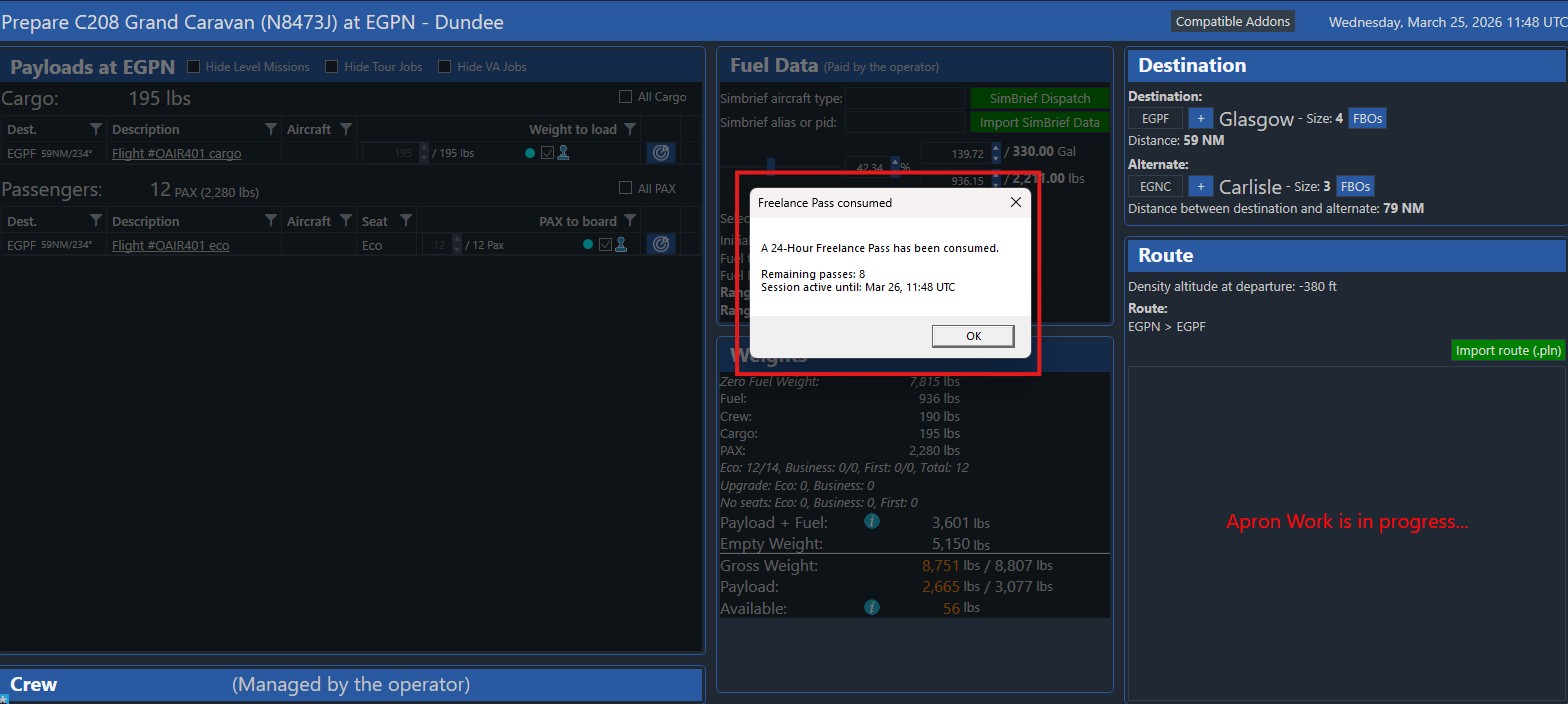
This means you can keep your passes in your account and use them later whenever you want.
¶ What do I get access to when I activate a pass?
When you use a 24-hour Freelance Pass, you get access to all Freelance features for 24 calendar hours of unlimited flight time.
This includes the ability to:
- take charter jobs
- fly regular routes
- complete sightseeing tours
- join and fly with virtual airlines
During that time, you can earn money, gain experience, and keep progressing in OnAir. Your progress is saved normally.
¶ How can I tell when my pass is active?
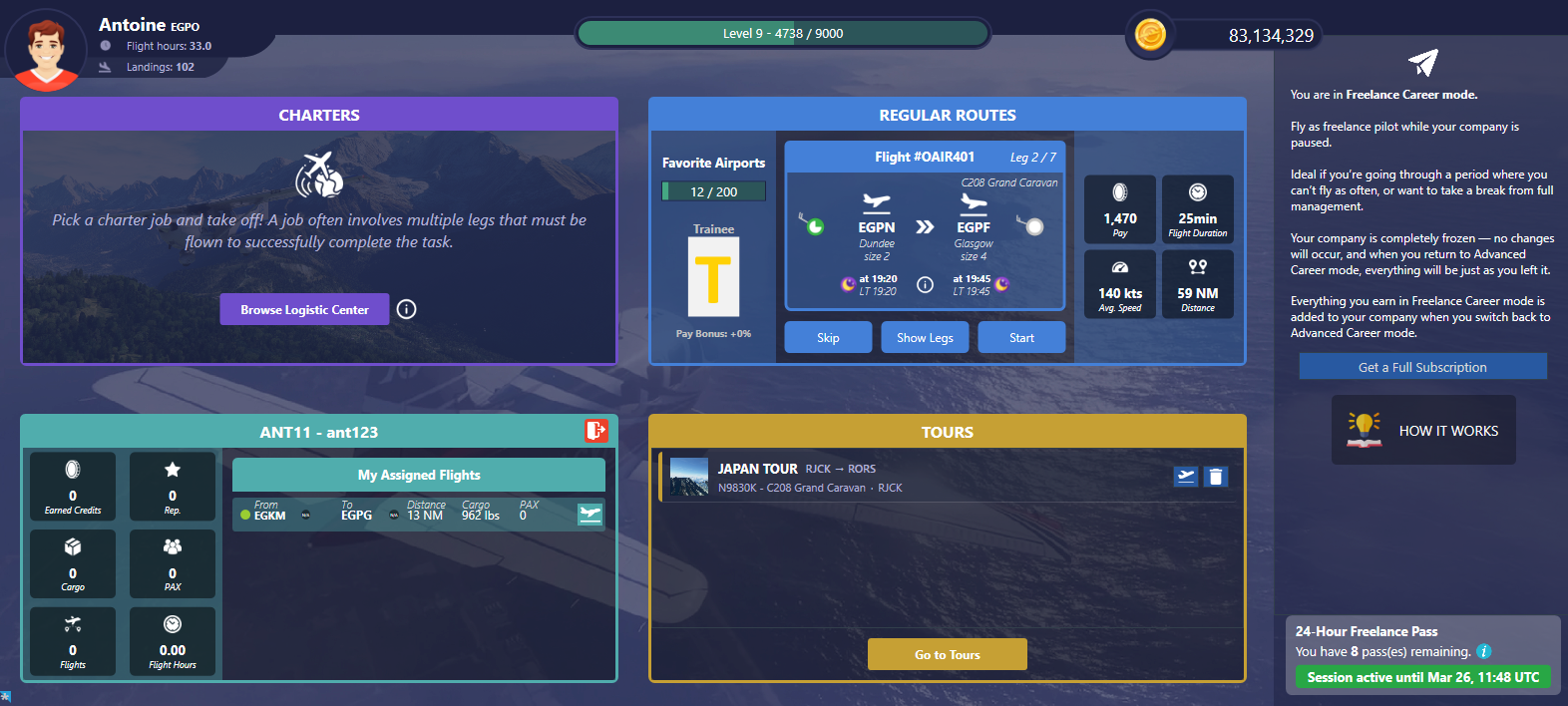
When your pass is active, the Freelance Dashboard shows your active session status along with the exact end date and time.
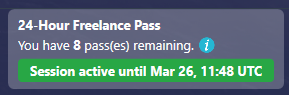
You will see a message such as:
Session active until Mar 26, 11:48 UTC
This lets you know that your 24-hour Freelance Pass is currently in use and exactly when the session will expire.
¶ Does the 24h Freelance Pass include full management access?
No.
The 24h Freelance Pass only gives access to Freelance features.
It does not include access to the full management features.
¶ What is the difference between a Freelance Pass and a subscription?
A Freelance Pass gives temporary access to all the Freelance features.
A subscription gives access to the full management experience.
¶ In short
- Freelance Pass = access to Freelance features only
- Subscription = access to full management features
¶ What happens if I already had a company before activating a pass?
If you already had a company in Advanced Career mode, but only have Freelance Passes available, OnAir will automatically switch your company to Freelance Career mode when you enter.
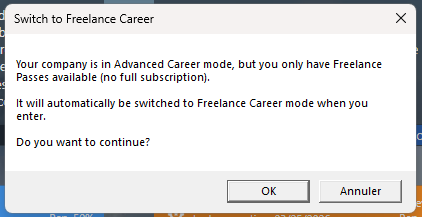
This means you will only have access to the Freelance Dashboard and Freelance features during the active pass period.
You will not have access to the full management features, which remain available only with an active subscription.
¶ Do I need to activate all my passes immediately?
No.
You can keep your passes in your account and activate them whenever you want. The 24-hour countdown starts only when a pass is activated.
¶ Can I share my passes with friends?
Yes.
You can share your passes directly from your My Account page.
Go to:
https://www.onair.company/my-account/
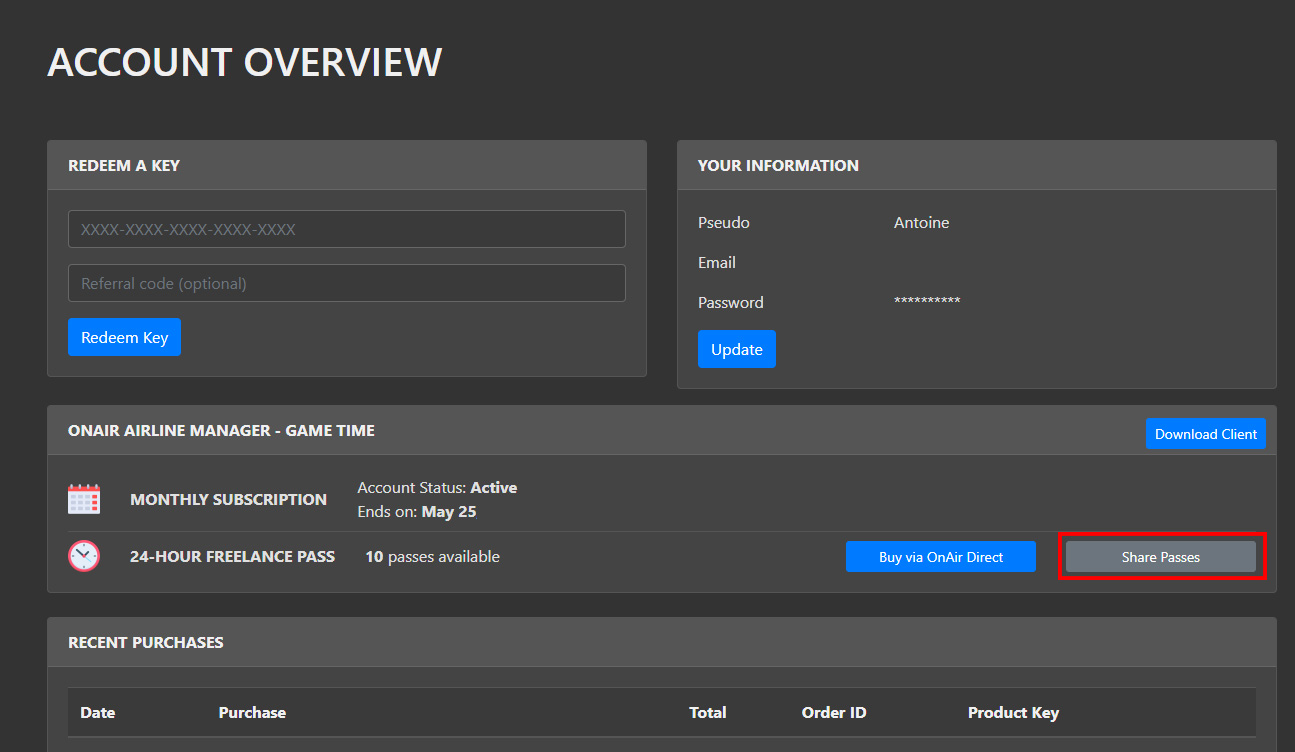
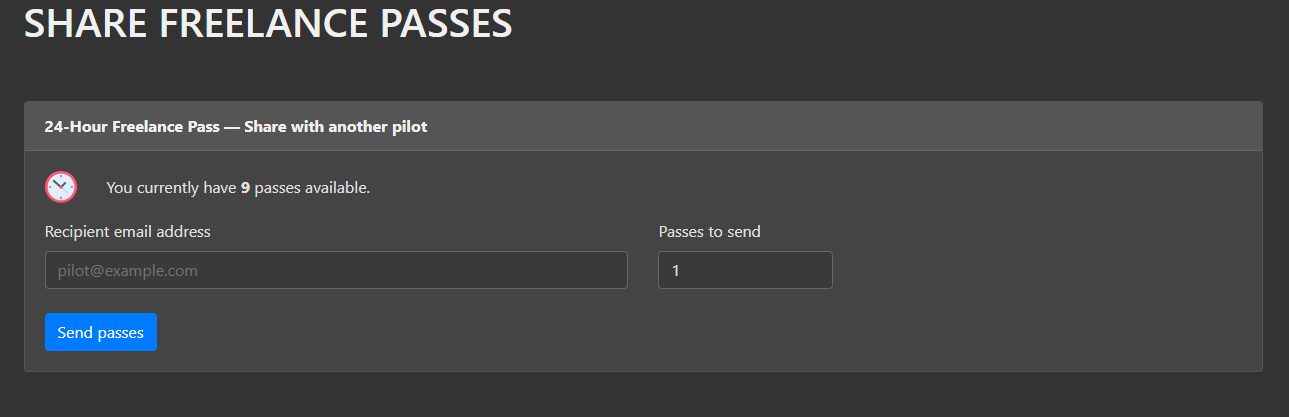
Then click Share Passes.
You can enter your friend's email address and choose how many passes you want to send.
¶ Can passes also be shared through a VA?
Yes.
If you are part of a VA, passes can also be shared through the VA interface.

This allows VA members to distribute passes between each other.
¶ Can I send several passes at once?
Yes.
You can send as many passes as you want, as long as you have enough available in your account.
¶ Where can I see my pass activity?
You can track your Freelance Pass activity from the History section in your My Account page.

This section shows the main pass events, including:
- passes added to your account
- passes sent to another player
- passes received
- pass-related balance updates
It also lets you see the date, the event, the quantity, and your remaining balance after each action.
¶ Can a shared pass be used immediately?
Yes.
Once the recipient receives the pass, they can use it from their own account.
The 24-hour countdown does not start when the pass is received. It starts only when the pass is used and the first flight begins.
¶ What happens when the 24 hours end?
Once the 24-hour session ends, your active Freelance Pass is no longer in use.
If you still have other passes available, you can still access the Freelance Dashboard even without an active session. In that case, you will see No active session in the pass section, but you can still browse the dashboard and use features such as:
- viewing the Freelance Dashboard
- checking available charter jobs
- viewing your cashflow
- browsing other Freelance-related screens
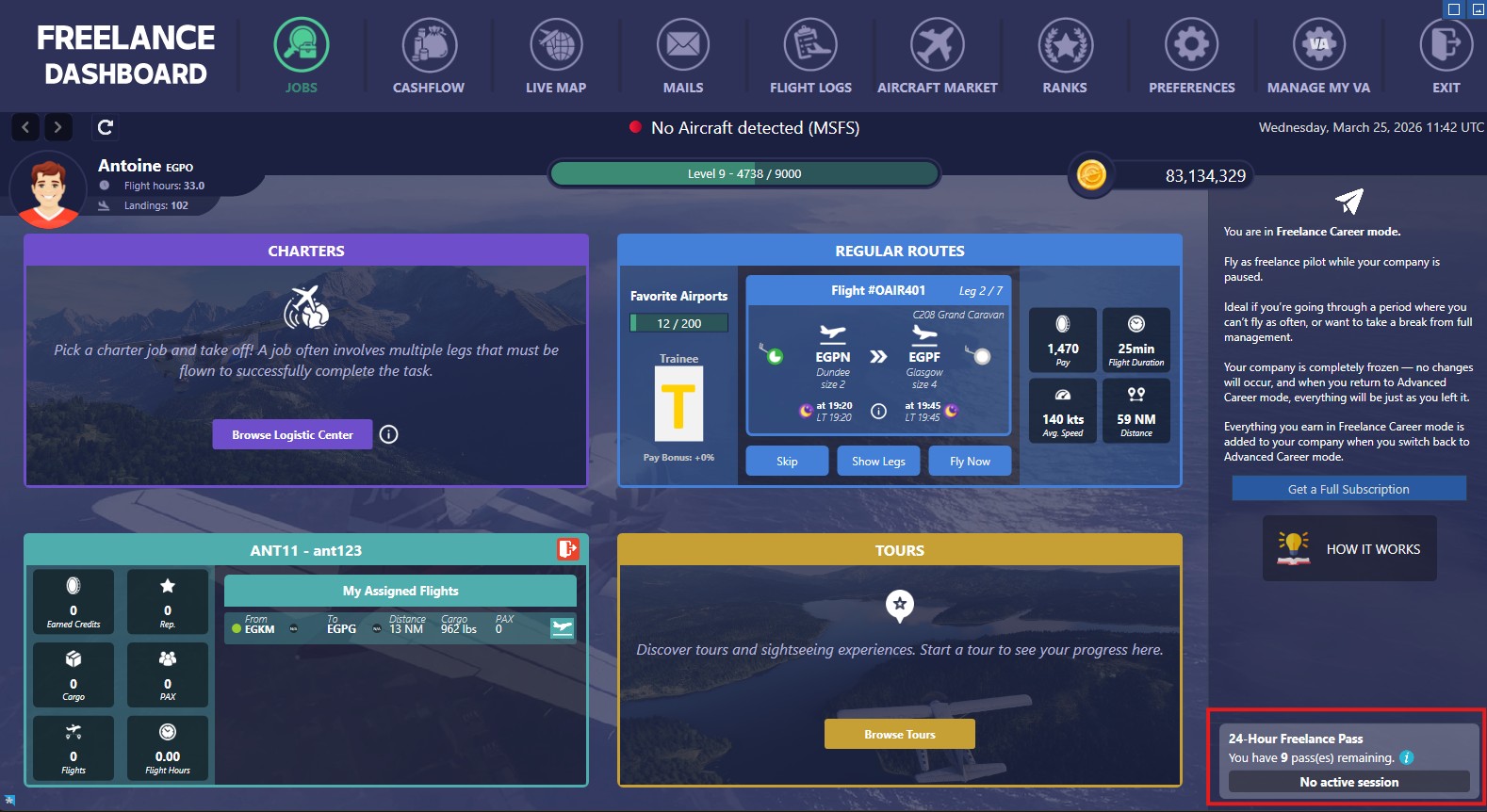
However, if you have no active pass and no remaining passes available, you will no longer be able to access the Freelance Dashboard and will stay on the main OnAir lobby instead.
To start a new 24-hour session, you will need to use another available pass.
¶ Useful links
Buy passes:
https://www.onair.company/pricing/
Manage and share passes:
https://www.onair.company/my-account/