¶ What this is
Pandemic 4 is a community event run by FSQuest on the VATSIM network, from 22 to 30 August — nine days. Pilots collect virus samples from infected cities, ferry them to a lab, and race to find a cure before the clock runs out. Once it's found, the cure travels back out the same way. The community wins together, or not at all.
There are three labs, one per region: KATL Atlanta, LSGG Geneva and NZCH Christchurch. Samples go to a lab; the cure can be picked up at any of them.
Collaboration is the heart of it. Samples and cure get relayed between pilots — you fly one leg and hand over, someone else flies the next.
For the run of the event, OnAir turns the event's airports into paid charter work inside your airline career. You fly for FSQuest and for your own company at the same time.
New to OnAir, or on an account with no subscription? Everything below assumes you already have an airline. If you don't, jump to the last chapter
¶ Everyone can fly it — and it pays more if you're on VATSIM
There's no gate and no registration on our side. Every OnAir pilot can see the event charters and take them.
What changes is the fare:
| Event charters pay | |
|---|---|
| Not connected to VATSIM | +25% |
| Connected to VATSIM | +50% |
The app tells you which one applies, right above the list, and the prices you see already include it. Connect to VATSIM and the fares go up in front of you.
To get the higher rate, enter your VATSIM CID under Settings → Flight Sim and be connected to the network. Without a CID we have no way to tell you're online, so you'll stay on the lower rate even while flying.
¶ Finding the event missions
Two ways in.
From the dashboard — the Charters card carries an FSQuest button that takes you straight to the event jobs. Before the event opens, the same button tells you when it starts and links to the announcement.
From the job board — open Freelance Job under Operations Centre in the menu, then the VATSIM tab. That tab already lists charters tied to VATSIM events from the public calendar; during Pandemic 4 the event's own missions appear there too, in the same list.
Either way you don't need to pick a departure airport or search the map — the event's airports are the job board for the week.
They're easy to tell apart from the ordinary VATSIM event charters:
- they carry their own colour in the list, and an
EVTtag; - they're listed first for the run of the event;
- each one names the campaign and shows its bonus on the row.
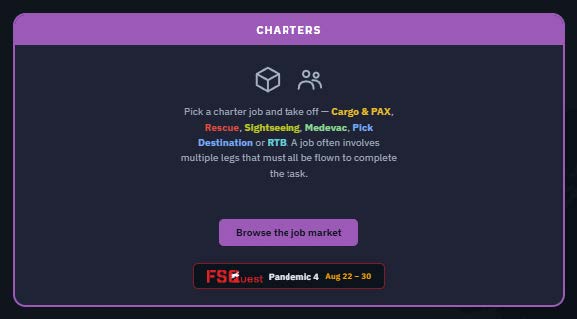
The Charters card on the dashboard — the FSQuest button carries the event dates

The event banner above the list — the campaign, its window, and the rate that applies right now
¶ Two kinds of job: lab runs and relay legs
The board mirrors how the event is actually played.
Lab runs are round trips. A job between a lab and an infected city is a single contract with two legs: out from the lab, and back to it. You carry relief outbound and bring the samples home — one job, one aircraft, there and back.
City-to-city jobs are relay legs. A single leg between two infected fields,carrying a consignment that someone else started and someone else will finish. These are the collaborative half of the event, and they're labelled as such.
What you're carrying reflects the direction. Samples inbound to a lab are light — a few insulated cases, any aircraft will do. The cure going out is palletised and heavy, which is where a real freighter earns its keep.
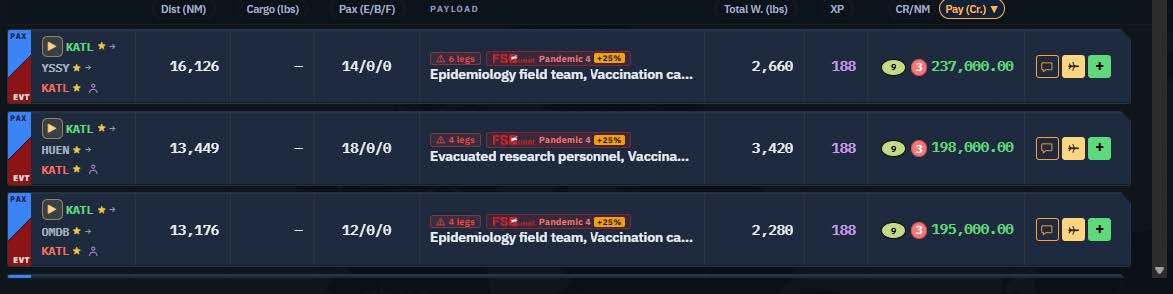
Event charters in the list — the EVT tag, the campaign badge with its bonus, and the payload actually carried
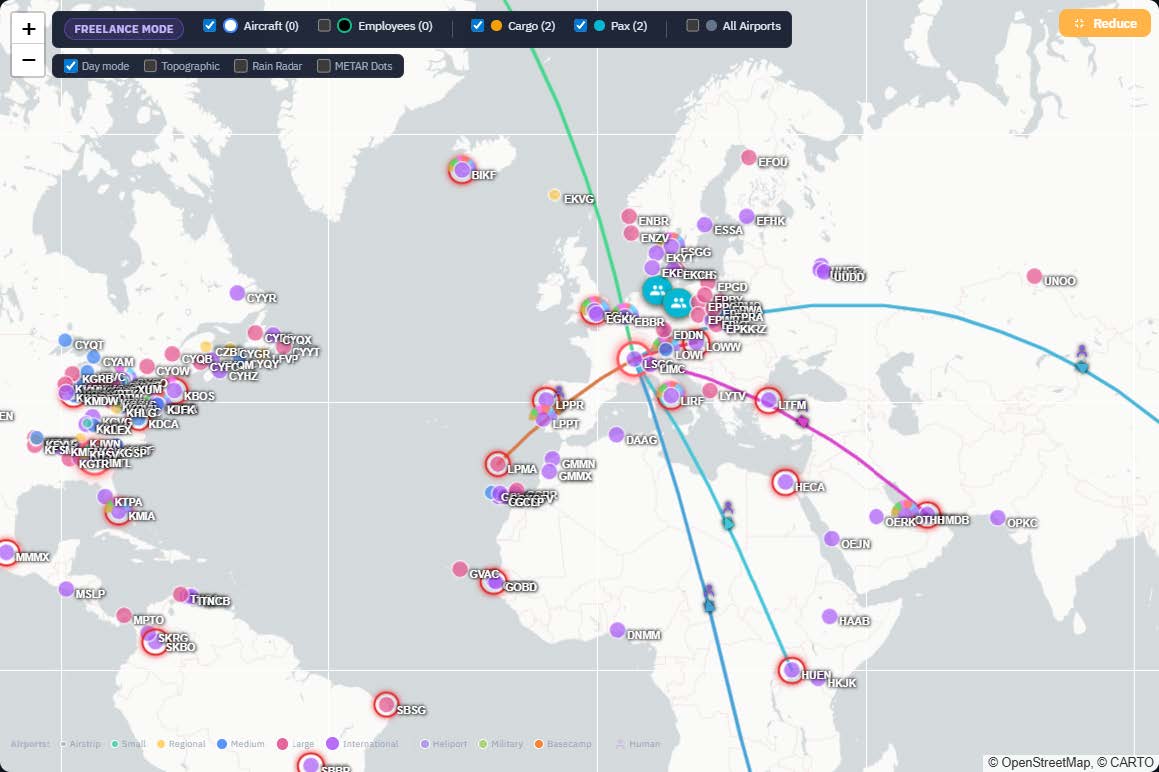
The Geneva lab selected: the jobs leaving it, drawn on the map
¶ What a job tells you before you take it
Every event charter carries a short recap of its own — the 💬 button on the row opens it. It is written for the event rather than generated: it says which way the consignment is going (into a lab, out of one, or one link of a relay), what is actually on board, and whether a second leg brings you home.
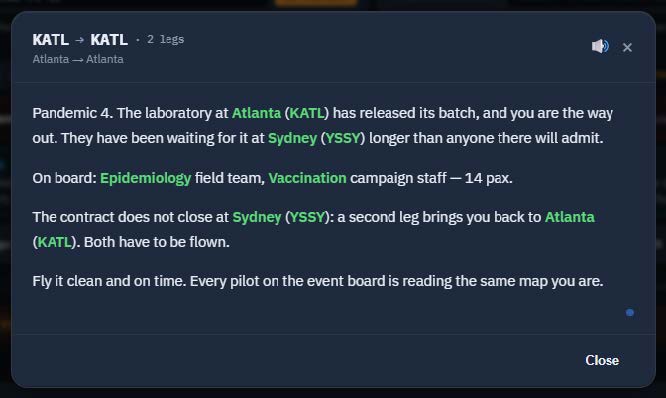
The recap of an event charter — a round trip out of the Atlanta lab
¶ The board changes every day
The event spans 40 airports, which is far more than any one day's flying. So the board is redrawn once a day: a fresh selection of city pairs, the same for everyone, stable for the whole day.
Two things are guaranteed on every draw: the routes FSQuest asked us to prioritise are always there, and every one of the 40 airports is served each day — so wherever you are, there's something to fly.
Come back tomorrow and it's a different board. That's by design, not a glitch.
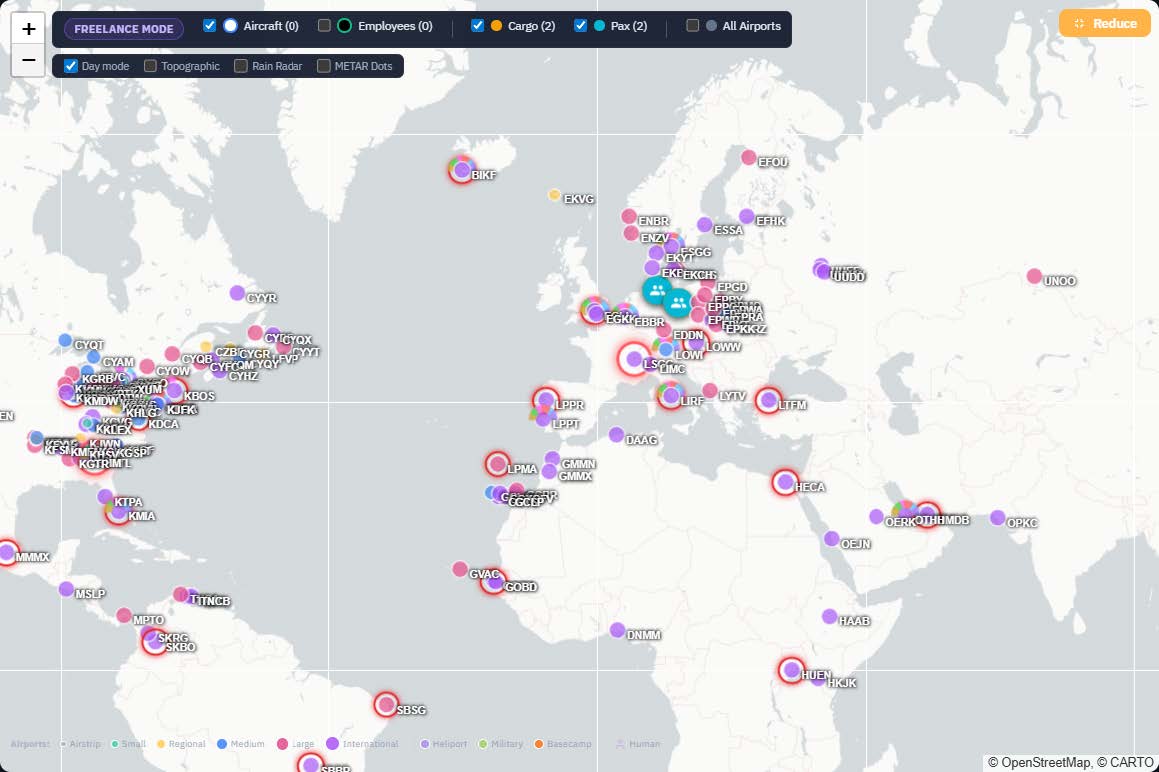
The map in day mode — every event airport carries a red ring
¶ Taking a job and flying it
Accept an event charter like any other freelance job — a temporary freelance aircraft is created for the flight. Fly it, land it, and you're paid as usual. The flight counts towards your career, your logbook and your company's accounts like any other.
If you're flying it on VATSIM, connect before you accept: the fare is set when you take the job, so accepting while offline locks in the lower rate for that flight.
FSQuest tracks the event from the network; we track the flight from your simulator. Neither gets in the other's way, and there's nothing extra to install on either side — but the two are scored separately, which is what the next chapter is about.
¶ Making the flight count for FSQuest
OnAir pays you either way. Whether the flight also moves the event is decided on FSQuest's side, and they ask two things of you. Neither is a download — their whole game runs on their website and on the VATSIM network.
Follow it on their live map: game.fsquest.com.
That is the outbreak as it stands, moving as pilots fly — and the site their event runs on. Once the event opens, the Companion puts a Live map button right on the event banner, so you never have to remember the address.
1. Register on their Discord — that is what makes you a participant.
Join discord.gg/A77PdDMFE7 and use the /register command to get a callsign beginning with UNO, then enter it in the Settings tab of game.fsquest.com.
This is the callsign you type into vPilot / xPilot when you connect to VATSIM — nothing to do with your OnAir company, its airline code or your flight number. You don't need a second company, and nothing changes in OnAir. We recognise you by your CID, never by your callsign, so you can connect as UNO… and still be paid the +50%.
2. File the leg in the Dispatch tab of game.fsquest.com.
Accepting the job in OnAir tells them nothing — the two systems don't talk to each other. The Dispatch tab is what puts the sample in your manifest and tells the game where you're going.
Then just fly it. Landing at the airport is what scores, and they read it from the network: nothing to report, upload or claim afterwards. Handing a sample to another pilot happens on that same page, with both aircraft on the ground at the same field.
Prefer to just take the missions in OnAir and skip all of this? That works too — nothing breaks, and the flight stays a normal paid charter. But the best bonus goes with the event: off VATSIM you earn +25% instead of +50%, and your flights won't move the outbreak.
The event is FSQuest's — its rules, its board, its Discord. Questions about
samples, scoring or the game go to them; questions about OnAir come to us.
¶ Flying it in the old client
This feature is only in the Companion — the VATSIM tab does not exist in the older OnAir client. But you're not locked in.
Accept the job in the Companion, then fly it wherever you like — including in the older OnAir client. Once accepted it's a normal job on your account, visible and flyable from either. The only part that has to happen in the Companion is taking it, since that's where the event board lives.
¶ After the event
On 30 August the campaign ends by itself — the whole day counts, so a flight finishing late on the 30th is still inside the event. After that the event missions stop appearing, the higher fares stop with them, and the job board goes back to normal. There's nothing to uninstall or switch off, and any job you'd already accepted stays yours to finish and be paid for.
¶ If something doesn't look right
I'm connected to VATSIM but I still see +25%. Give it a minute. We check the network roughly once a minute, so a fresh connection takes a moment to show up.
Check too that your CID is filled in under Settings → Flight Sim — that's what we match you on.
I flew an event leg but nothing moved in the FSQuest game. That side is theirs, not ours. Check that you were connected to VATSIM under your registered UNO callsign, and that the leg was filed on their Dispatch page — accepting the job in OnAir alone doesn't reach them. Their Discord is the place to ask.
The event missions aren't there. Check that your Companion is up to date — it updates itself, but a restart makes sure. They only appear during the event window, on the VATSIM tab.
Yesterday's route is gone. The board is redrawn daily. The airport is still in the event; its pairings changed.
No jobs appear at all on that tab. Try a different aircraft type: charters are sized against the aircraft you have selected, and a very large or very small type can leave few options at smaller fields.
My subscription ran out mid-event. Jobs already accepted stay yours. To keep flying, start the 7-day free trial if your account is eligible — the lobby says so, and gives the date a new one opens if it isn't — or renew.
Anything else, open a ticket at:
onairhelp.zendesk.com.
¶ 7-day free trial
Everything above assumes you already have an OnAir airline. If you don't, here is the whole path. It takes a few minutes and none of it needs a website.
- Create your account in the Companion. The sign-in screen has Create an account — you can register right there, no browser needed.
- Confirm your email by clicking the link we send you.
- Sign in, choose a world, and create your airline. Three worlds are offered; Cumulus is the gentlest, and the usual first choice.
- Start your 7-day free trial from the lobby. That is the button that lets you fly. No payment details.
Then come back to the top of this guide: the event board is the VATSIM tab of Freelance Job, under Operations Centre.