OnAir allows you to grow beyond the public job market by developing your own private network of FBOs (Fixed-Base Operators).
With FBOs, your company can create private query jobs, set up regular airline routes, buy and resell fuel, store cargo, and provide maintenance for your own fleet or for other players.
Some of these features require specific skills.
➡️ See: Skills Tree →
¶ 🌐 What is an FBO?
An FBO (Fixed-Base Operator) is a company authorized by an airport to provide services such as fueling, storage, maintenance, crew lodging, and tie-downs.
You can build an FBO at any airport, as long as you have the required skills and enough funds.
- Costs: construction + weekly upkeep
- Scaling: costs rise with airport size and installed facilities
💡 Tip: start small (one or two FBOs) and expand your network gradually as your company grows.
¶ 🏗️ Building an FBO
-
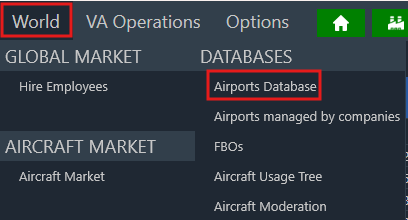
Go to World → Databases → Airports and basecamps
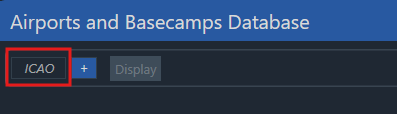
Enter the ICAO code or use the + button to search for your target airport.
-
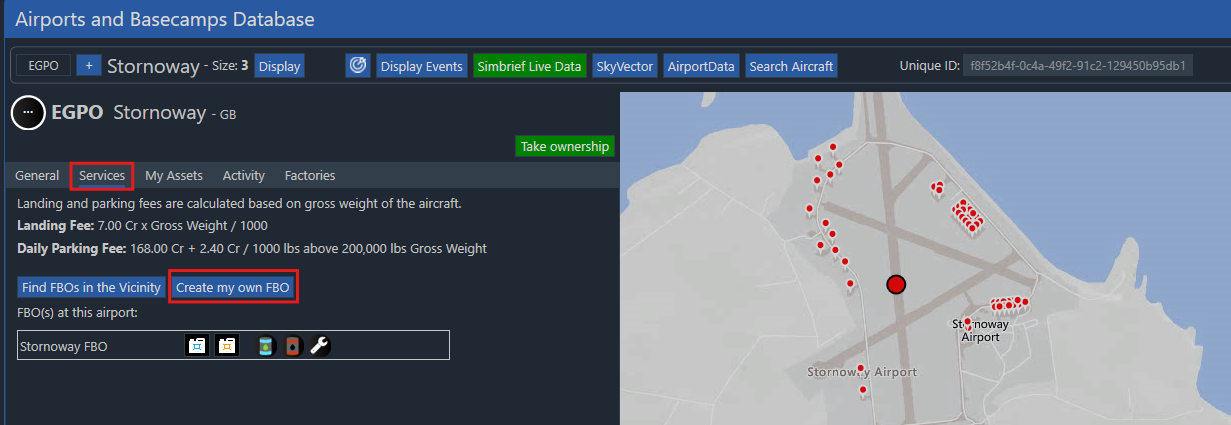
Click Display to open the airport’s information page.
In the top-right corner, you’ll see existing FBOs and the Create an FBO button.
-
Configure your FBO settings (you can expand later):
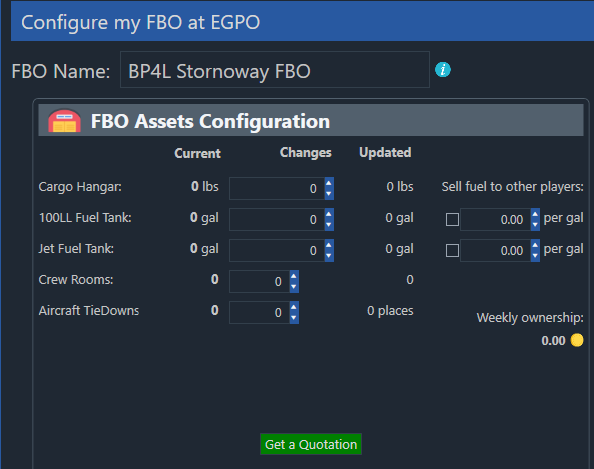
- FBO Name – The name visible to everyone; keep it clear and professional.
- Cargo Hangar – Allows temporary cargo storage between flights.
- 100LL / Jet Fuel Tanks – Storage capacity in US gallons for fuel buying and resale.
- Crew Rooms – Lodging for employees not based at the airport (reduces hotel fees).
- Aircraft Tiedowns – Reduces parking costs by providing your own aircraft slots.
-
Click Get a quotation to preview construction and weekly costs.
If you agree, click Accept to start construction (each item has its own completion time).
Otherwise, press Cancel.
¶ 🛠️ Managing an FBO
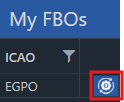
To manage your FBO, go to My Company → My FBOs, click on the manage icon:
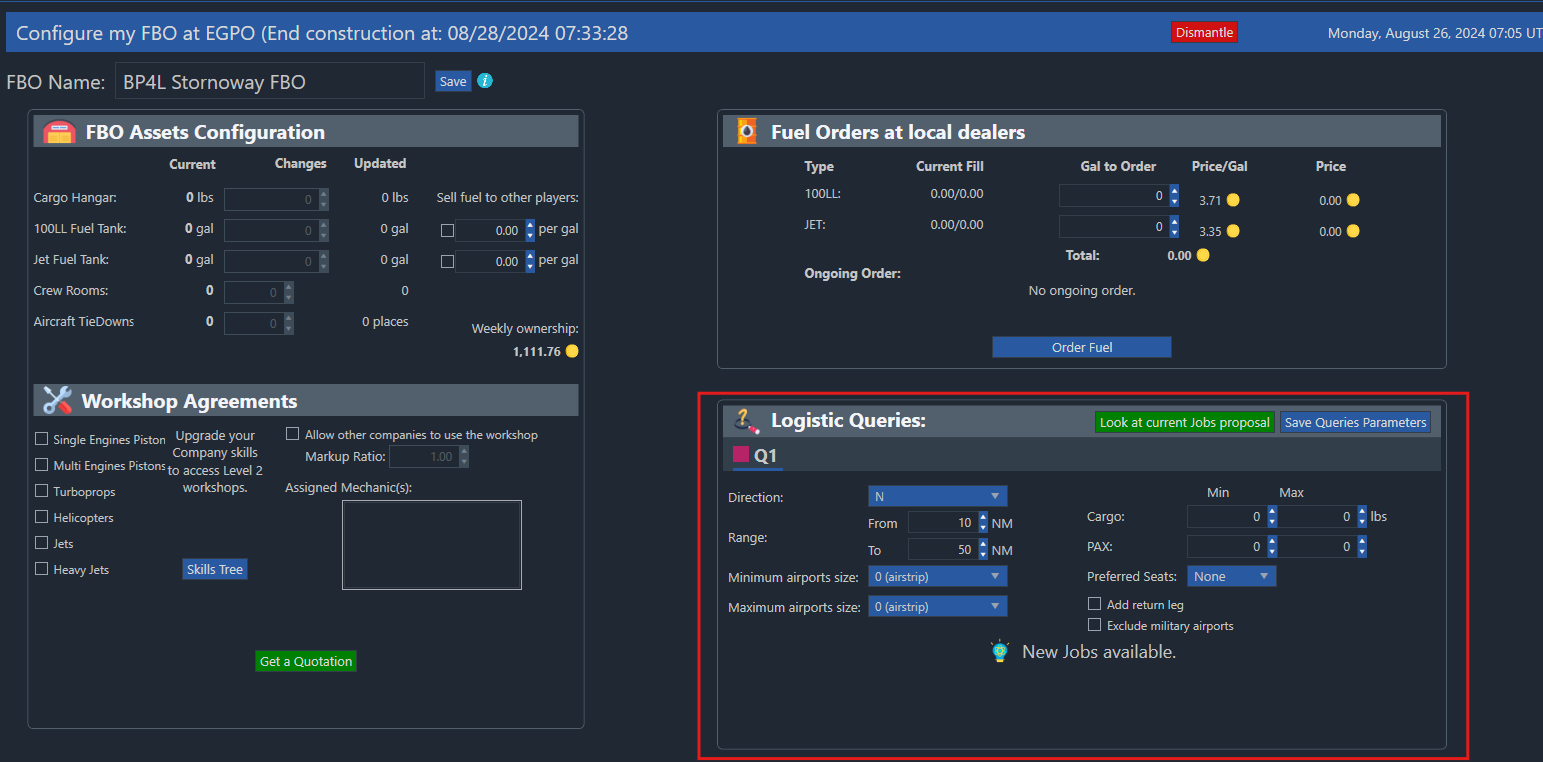
From here, you can:
- Expand or upgrade your buildings (hangars, tanks, crew rooms, tie-downs)
- Order and restock fuel
- Configure Logistics Queries
- Manage service selling (fuel, workshops)
¶ 📦 FBO Queries
Path: My Company → My FBOs → Manage
FBOs allow you to create custom private jobs generated automatically for your company.
These become available as soon as the FBO construction begins (requires FBO skill).
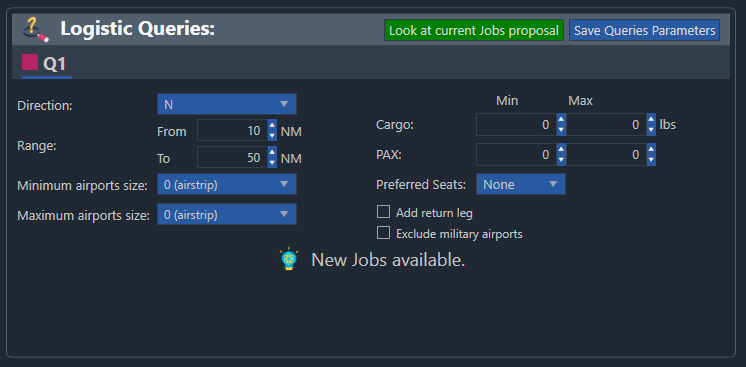
- Up to 3 query slots, depending on your FBO skill level
- Query cooldowns: 24h, 48h, and 96h per slot
- Jobs are generated only when you open the Job Proposals page of that FBO
→ The cooldown starts only after viewing proposals
¶ ⚙️ Query Parameters
Each slot can be configured with its own set of rules that determine the type of jobs it generates:
-
Direction – Can be set to one of the cardinal directions (North, South, East, West and sub-divisions) or to “One of my FBOs”.
When a direction is selected, it generates jobs departing approximately that way from your FBO.
If “One of my FBOs” is chosen, you can select a specific destination FBO for all generated jobs in that slot. -
Range – Defines the minimum and maximum distance (in NM) for jobs created from this slot.
This range applies when using directional jobs or random FBO targets. -
Cargo Min & Max – Defines the smallest and largest cargo payload (in lbs) a job can have.
The maximum must be at least 20% higher than the minimum value. -
PAX Min & Max – Works the same as the cargo settings but defines the minimum and maximum number of passengers per job.
-
Preferred Seats – Choose between Economy, Business, or First Class.
This setting is not guaranteed — most jobs will follow it, but some may vary to simulate imperfect contracts. -
Minimum Airport Size – The smallest airport size allowed for generated jobs (useful to avoid very small strips).
-
Maximum Airport Size – The largest airport size allowed for generated jobs.
Helpful if you want to generate only small-airport or regional contracts, such as bush flying operations.
Once your rules are set, click Save Queries Parameters at the bottom of the screen.
Then use Look at current Jobs Proposal to view the generated jobs for that FBO.
⚠️ FBO queries are only generated when you open the Job Proposals page for that specific FBO.
The cooldown timer starts at that moment — changes made afterward will apply only after the next cooldown cycle.
¶ ⛽ Fuel Selling
You can resell fuel (100LL or Jet) to other players.
Path: My Company → My FBOs → Manage
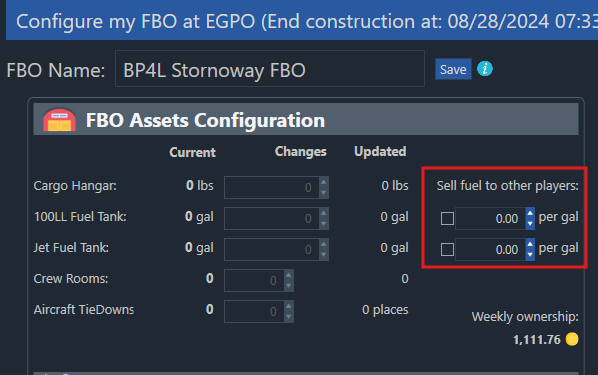
Requirements: Fuel Seller Agreement skill
Steps:
- Tick the boxes for 100LL and/or Jet Fuel
- Enter your price per gallon
- Make sure your stock is sufficient (use the fuel order panel top-right)
Without stock, no one can buy from you.
¶ 🧰 Aircraft Maintenance & Mechanics
To start maintenance on an aircraft, open its Aircraft Detail page and click Maintenance.
- Mechanics at an FBO start work automatically when an aircraft arrives at their assigned FBO
- They are automatically linked to the FBO located at their airport
Limits:
-
Max active mechanics:
(Airport Size + 1) × 2
→ Example: size 4 airport = (4+1)×2 = 10 mechanics -
Simultaneous aircraft under maintenance:
min(total mechanics, Airport Size + 1)
→ Size 1 = 2 aircraft max
→ Size 5 = 6 aircraft max
Mechanics work 10 hours per day, prioritizing the first aircraft scheduled.
Extra mechanics are evenly distributed among ongoing jobs.
¶ 🧩 Workshop Agreements
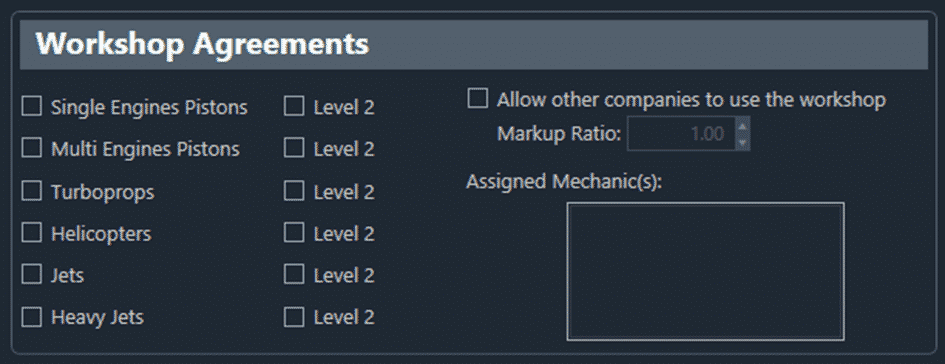
Workshops define which types of maintenance you can perform:
- Level 1: Basic maintenance (engine repair, airframe repair, 100h inspection)
- Level 2: Advanced maintenance (annual checkup, engine replacement)
Even in your own FBO, you must still pay for parts, but your labor cost uses markup 1.0.
You may set a higher markup (e.g., 1.2) for external players using your facilities.
Without a workshop agreement, maintenance can still be done by calling a maintenance truck, but it’s significantly more expensive.
¶ 🏢 Cargo Hangar & Storage Fees
When storing cargo for more than 3 hours at an airport where your FBO lacks enough hangar capacity, a hangar fee applies.
- Base rate: 0.06 Cr per LBs per hour
- Fee only starts after loading the cargo for the first time (This means that you can accept a job and leave the cargo at its departure airport with no charges.)
- You can avoid fees by keeping cargo inside your aircraft
- Split cargo is not charged until the remaining part is first loaded
- At the destination, delivered cargo is not chargeable
Discounts by airport size:
| Airport Size | Discount |
|---|---|
| 0 | 90% |
| 1 | 80% |
| 2 | 60% |
| 3 | 40% |
| 4 | 10% |
| 5 | 0% |
¶ Example: 1000 lbs stored for one week
Without an FBO:
0.06 × 1000 × 24 × 7 = 10,080 Cr / week
(Fees avoided if storage <3h)
With FBO (size 3):
- Construction cost: 60 Cr/lb × 1000 × 0.4 = 24,000 Cr
- Weekly cost: 2,000 Cr
→ Savings: 8,080 Cr/week
→ ROI ≈ 3 weeks
→ Effective rate: 0.01 Cr/lb/h (6× cheaper)
With FBO (size 5):
- Construction: 60 Cr/lb × 1000 × 1 = 60,000 Cr
- Weekly cost: 5,000 Cr
→ Savings: 5,080 Cr/week
→ ROI ≈ 12 weeks
→ Effective rate: 0.03 Cr/lb/h (2× cheaper)
¶ 💼 Multi-FBO Management Costs
Owning multiple FBOs introduces management overhead beyond 3 active sites.
OnAir adds a scaling factor based on total weekly ownership cost.
Formula:
((Number of FBOs – 3) / 100) × 4
Example: 48 total FBOs
((48 – 3) / 100) × 4 = (45 / 100) × 4 = 1.8
You will pay 180% of the combined weekly ownership costs.
Each FBO’s Weekly Ownership Cost is shown on its management page and depends on airport size,