OnAir integrates with SimBrief, allowing you to import and use your SimBrief flight plans directly when preparing a flight.
This feature helps you align your simulator route, fuel, and flight data seamlessly with OnAir.
¶ ✈️ Importing a SimBrief Flight Plan
When you’re on the Prepare Aircraft screen, instead of manually typing a destination, you can import your SimBrief flight plan.
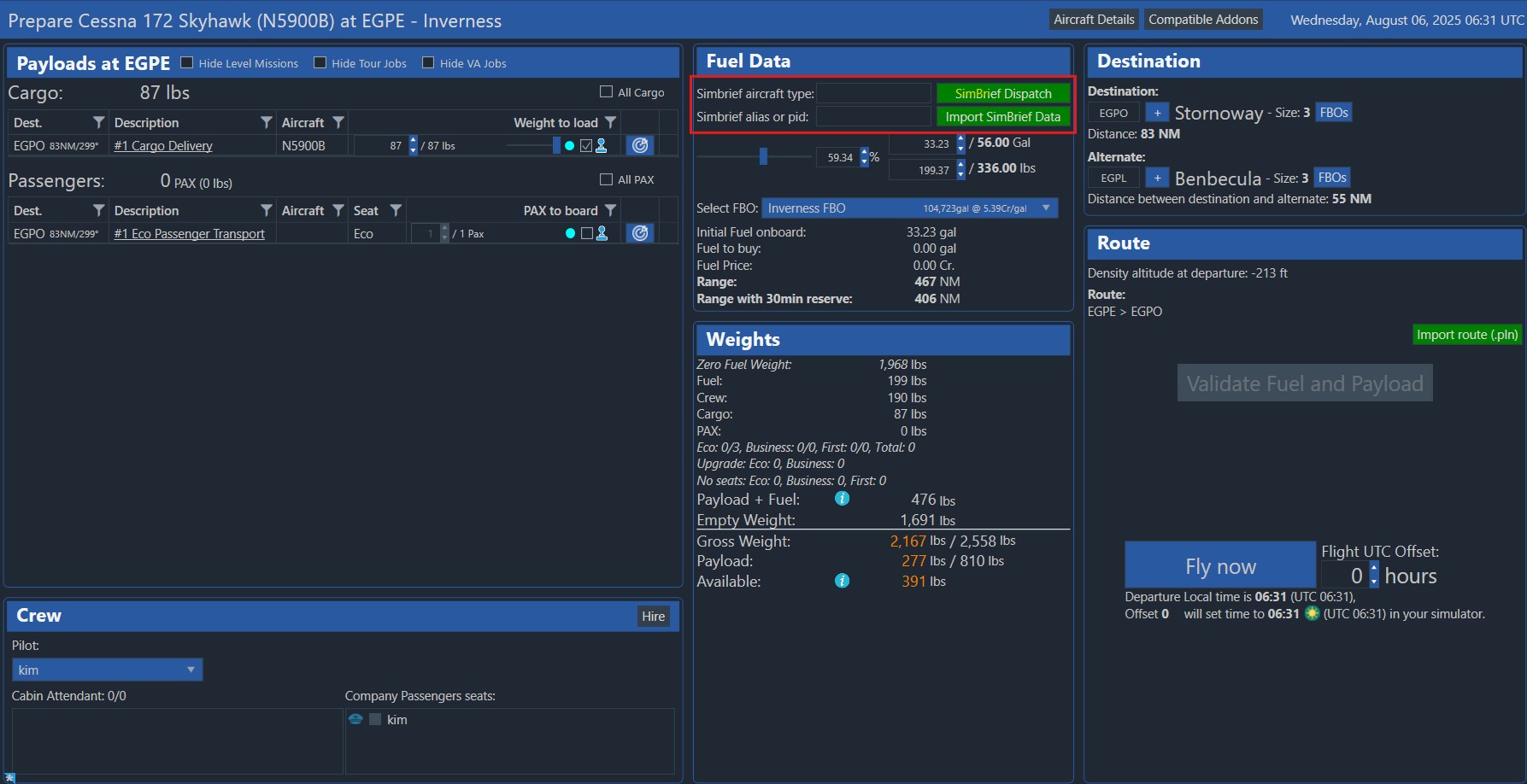
OnAir supports the SimBrief XML Datafile format.
Once a valid file or dispatch ID is provided, a confirmation dialog appears summarizing your flight plan details:
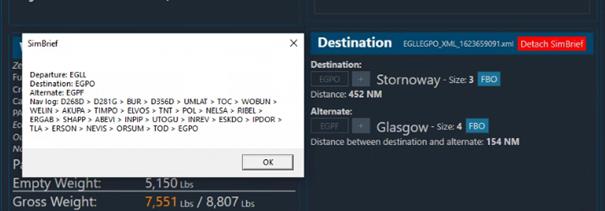
💡 This allows you to review your route, waypoints, alternate, and fuel data before validating your flight.
¶ 🗺️ Flight Plan on the Tracking Map
Your imported SimBrief route is automatically displayed on the Flight Tracking Map, making it easier to follow your navigation path in real time.
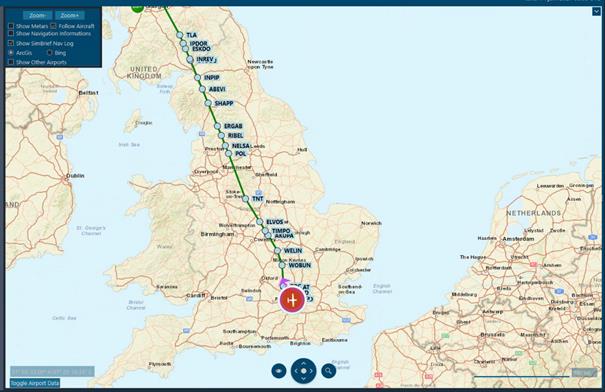
🧭 The flight plan is also saved and displayed later on the Track History map.
💡 You can also launch SimBrief directly from OnAir using the SimBrief Dispatch button.