There are two methods to find an aircraft:
- Detecting the aircraft currently loaded in your simulator
- Browsing the entire database of known aircraft types
Both methods ultimately lead to the same final step, where you can rent, lease, or purchase the aircraft.
(See: Renting, Leasing or Purchasing →)
¶ 🛩️ Detecting From Your Simulator
To detect an aircraft from your simulator:
- Load your simulator and select an aircraft
- Load into any airport
- In MSFS 2020/2024, you may simply use My Hangar
- Make sure OnAir shows a green dot — “Connected to simulator”

Go to World → World Market → Buy/Lease/Rent aircraft- Click The Search for the aircraft I have loaded in my simulator button
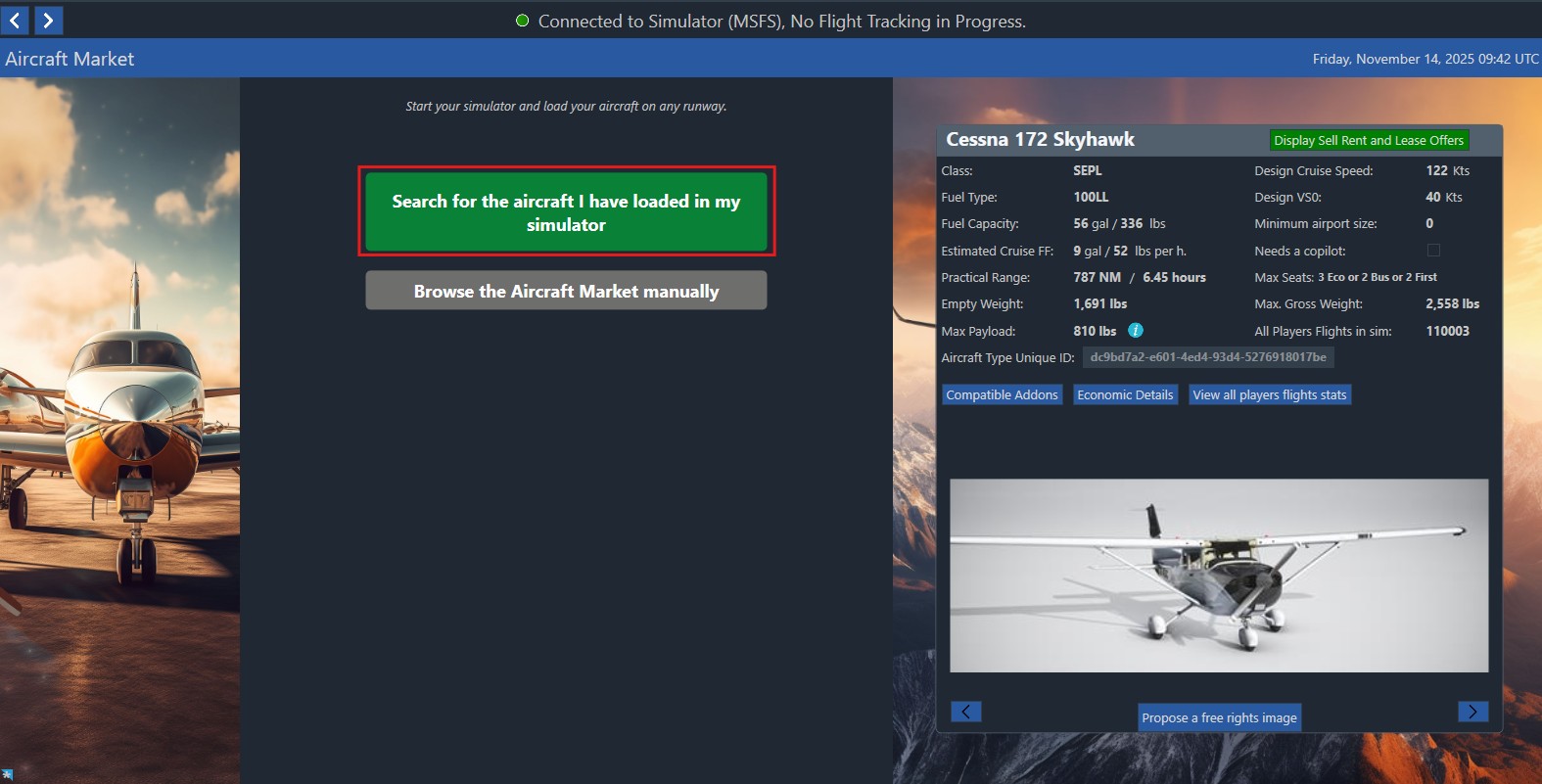
- If the aircraft exists in OnAir → proceed normally
- If it does not exist, OnAir will start the import request and ask for a test flight
→ (See: Adding a New Aircraft or Variant →)
After detection, the process continues exactly like a general aircraft search. Click the Display Sell, Rent and Lease Offers button at the top right of the screen:
¶ 🛩️ Searching for Aircraft manually
Go to World → World Market → Buy/Lease/Rent aircraft and click The Browse the Aircraft Market manuelly button
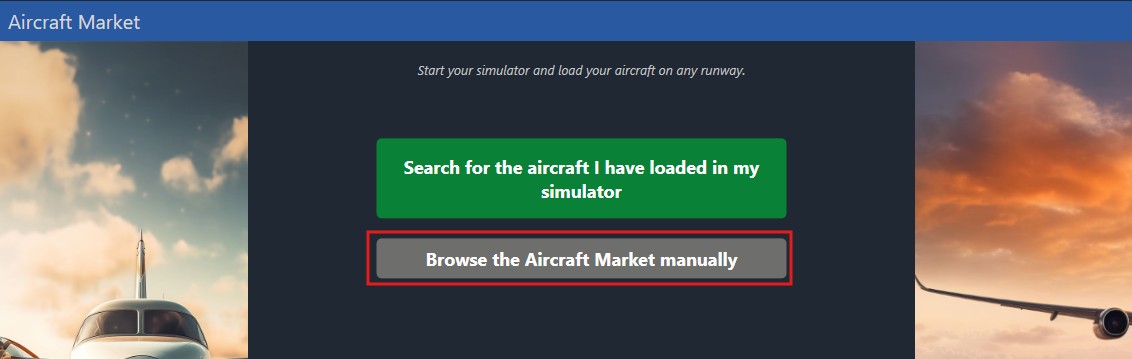
This will lead you to the following screen:
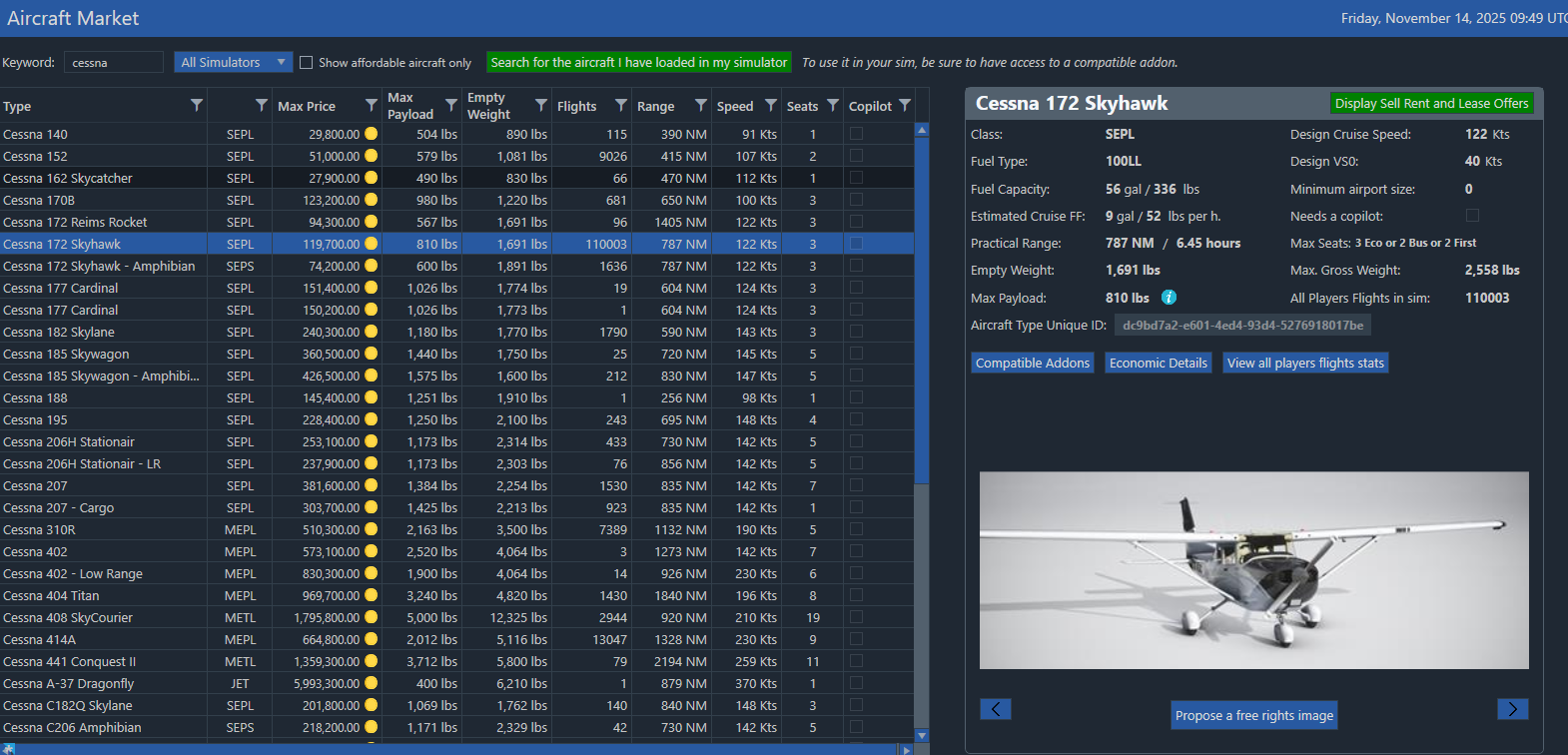
For best results, if you intend to be able to fly the aircraft personally in your simulator, use the highlighted box to indicate to OnAir which simulator it should limit options to.
You may enter a partial name for the Aircraft, e.g. A320 into the keyword box and press the search button to narrow your options.
The resulting list can be filtered and sorted just like most lists in OnAir, allowing you to narrow options down to specific aircraft classes, or ranges of performance and pay‐load figures.
If you see an aircraft that interests you but are unsure of which Addon has been used when importing the aircraft into OnAir, you may choose the ‘Addons’ button to the right side of any aircraft for a list of all known planes in all simulators that are considered to be valid for that aircraft along with source links for where to purchase or download them, should these be known.
Once you have located the aircraft you are interested in, select it and click the Display Sell, Rent and Lease Offers button at the top right of the screen:
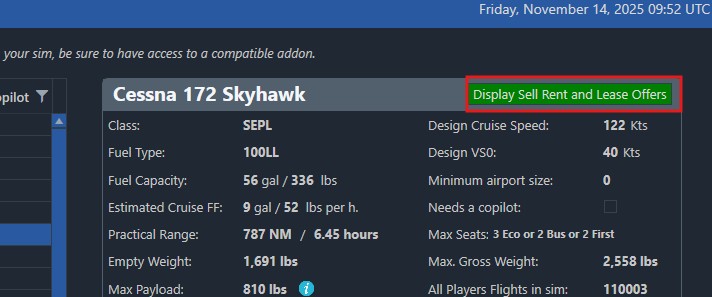
This will lead you to this page:
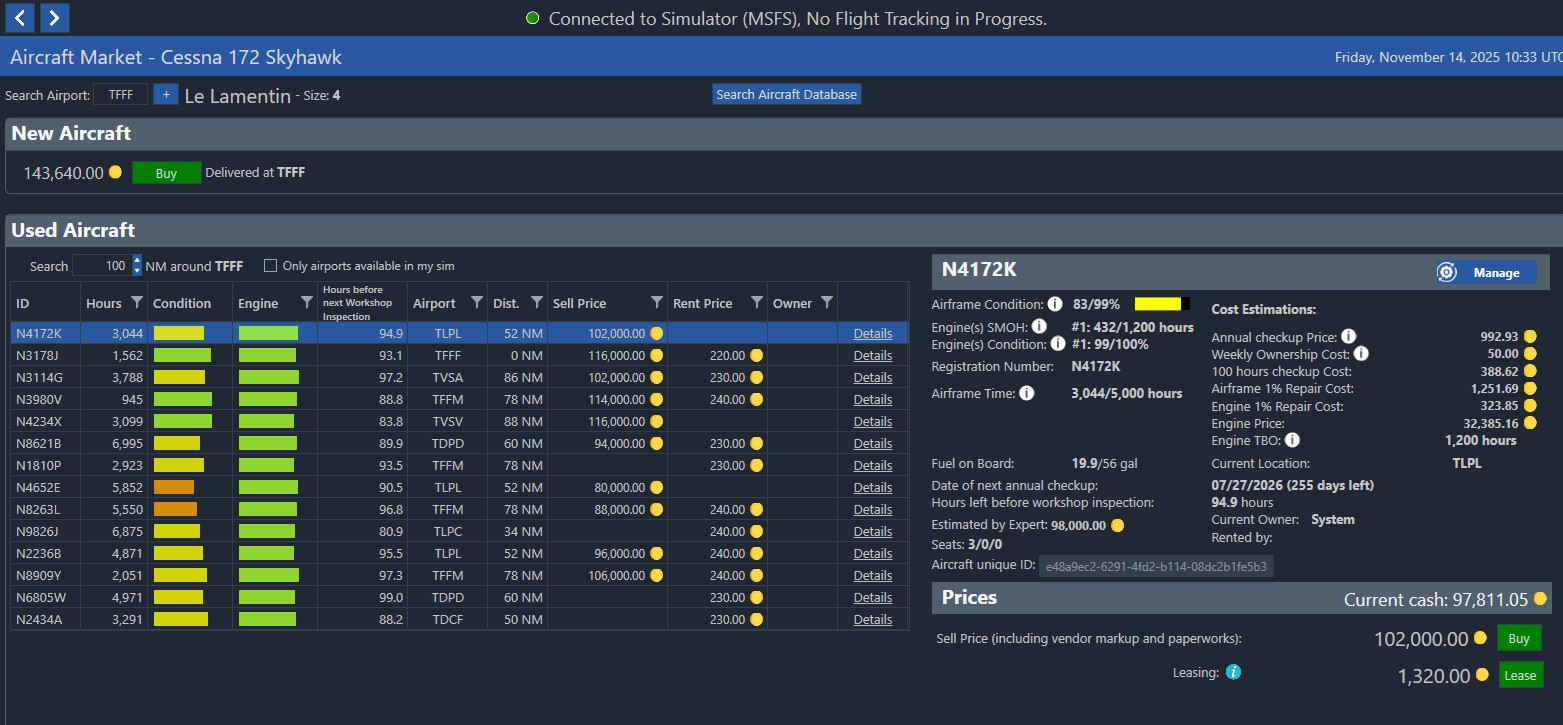
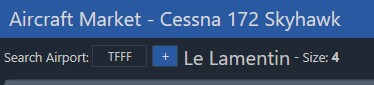
The Search Airport field is automatically pre-filled with your base airport you selected when creating your company.
From here, you can immediately browse and acquire aircraft at or near this location.
The Aircraft Market screen is divided into two main sections:
- New Aircraft — buy a factory-new aircraft at the selected airport
- Used Aircraft — browse the list of aircraft available for purchase, rental, or leasing
You may change the ICAO code at any time if you want to buy or search for aircraft at another airport.
¶ 🛩️ New Aircraft
At the top of the screen, you will see the New Aircraft panel.
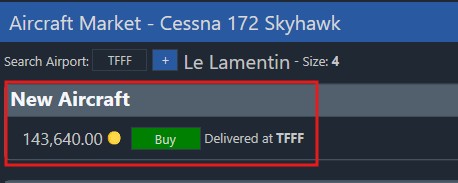
This allows you to purchase a brand-new aircraft delivered directly at the currently selected airport.
Clicking Buy opens the Aircraft Details page.
This page shows all technical specifications, maintenance information, and cost estimations for the aircraft.
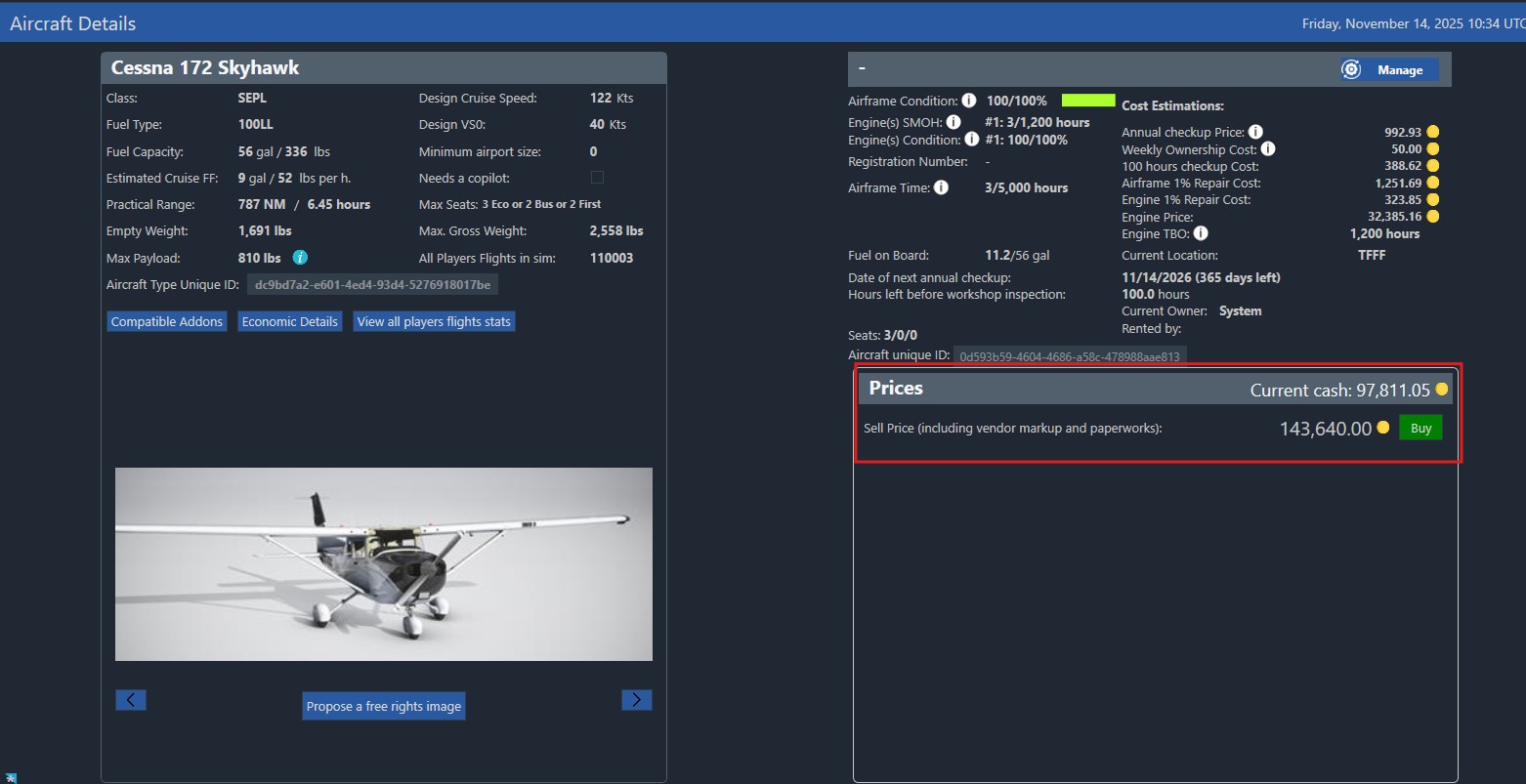
To confirm the purchase, you must click the Buy button again in the Prices section (bottom right).
This final confirmation validates the transaction and adds the new aircraft to your fleet.
¶ 🛩️ Used Aircraft List
Below the New Aircraft section, you will find the Used Aircraft list.
This table contains all aircraft currently available for:
- Purchase
- Rent
- Lease
For each aircraft, the table displays:
- Hours flown
- Airframe condition
- Engine condition
- Hours before next Workshop Inspection
- Current airport and distance (NM)
- Sell Price / Rent Price
- Owner information
You can filter and sort this list using the column headers.
¶ 📘 Viewing Details of a Selected Aircraft
When you click on an aircraft in the list, its detailed information appears on the right side of the screen.
This panel includes:
¶ Aircraft Technical Information
- Airframe condition
- Engine SMOH and condition
- Fuel on board
- Dates of the next annual checkup and 100-hour inspection
- Estimated market value
- Seating configuration
- TBO (Time Before Overhaul)
- Current location
- Maintenance cost estimations
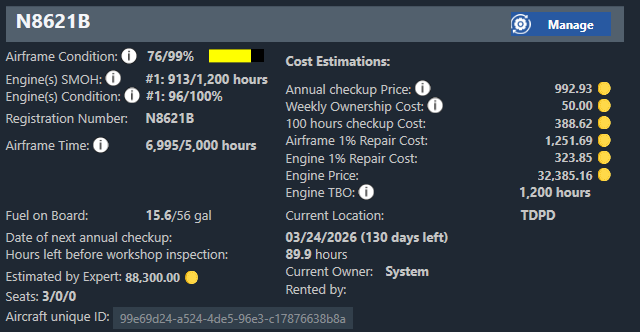
It is important to pay close attention to the date of the annual checkup and 100 hour inspection. Renting or purchasing an aircraft very close to its’ checkup time can be detrimental, so it’s best to look for ones that have a good period remaining before their next check.
¶ 💰 Prices and Deal Options
At the bottom right, you will find the Prices section.
This panel shows your current cash and displays all available acquisition options:
-
Buy – purchase the aircraft permanently
→ See: Purchasing Aircraft → -
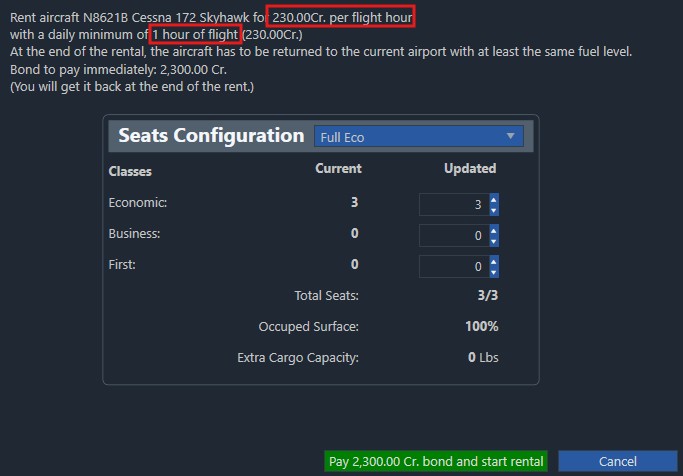
Rent – pay per flight hour, often with minimum daily hours
→ See: Renting Aircraft → -
Lease – fixed weekly payment over a chosen duration
→ See: Leasing Aircraft →
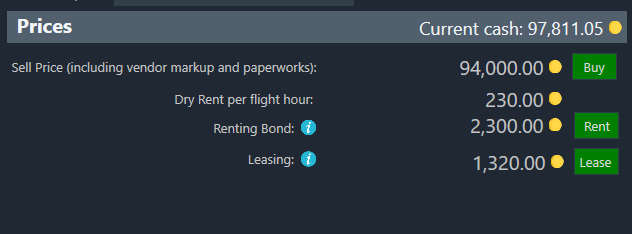
Simply click the option you want to proceed.
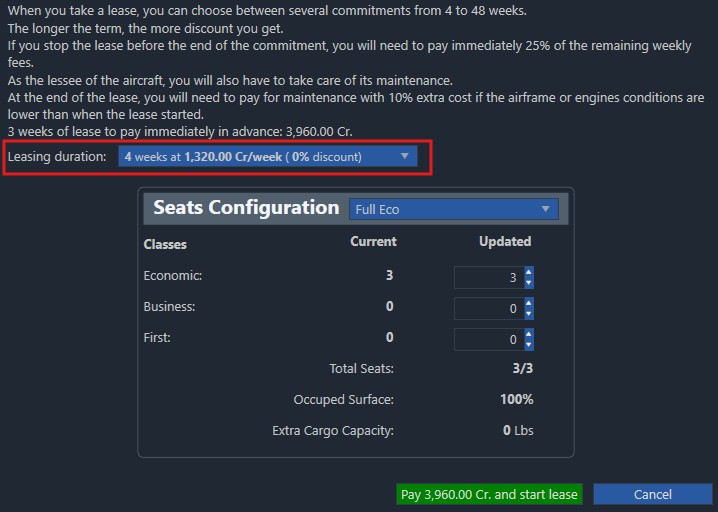
¶ Seat Layout
If the aircraft is owned by the System, you may configure the initial seat layout immediately before finalizing the deal.
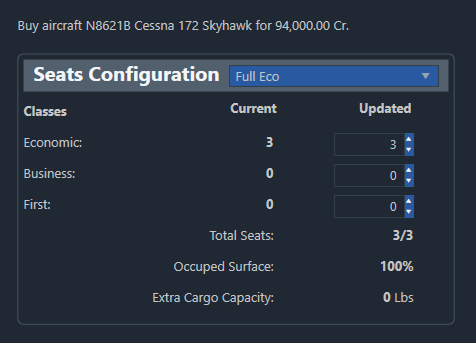
Seat configurations follow these rules:
- Eco passengers can use economy, business, and first class seats
- Business passengers can use business and first class seats
- First class passengers can only use first class seats
This allows you to optimize cabin layout depending on the kind of missions you expect to fly.
¶ Duration Lease
With leases you will be given an option to choose the duration of the lease (minimum of 4 weeks) and a summary of the weekly costs. The longer you lease an aircraft, the larger the weekly price will be discounted so it’s worth keeping that in mind if you intend to retain that aircraft for a long time.
¶ Rental
For rentals, pay close attention to any minimum daily flight hours, as these will be charged every day even if you do not fly the aircraft.