If you own an aircraft that you are not actively using, you can place it on the market for other players to rent or purchase.
You can access these options in two ways:
- Open your aircraft list using the shortcut
Alt + A - Or navigate to
My Company → My Aircraft
¶ 🛩️ Opening the Aircraft Details Page
Locate the aircraft you want to sell or rent.
In the list, click More under the Action column, then click Details.

This opens the Aircraft Details page.
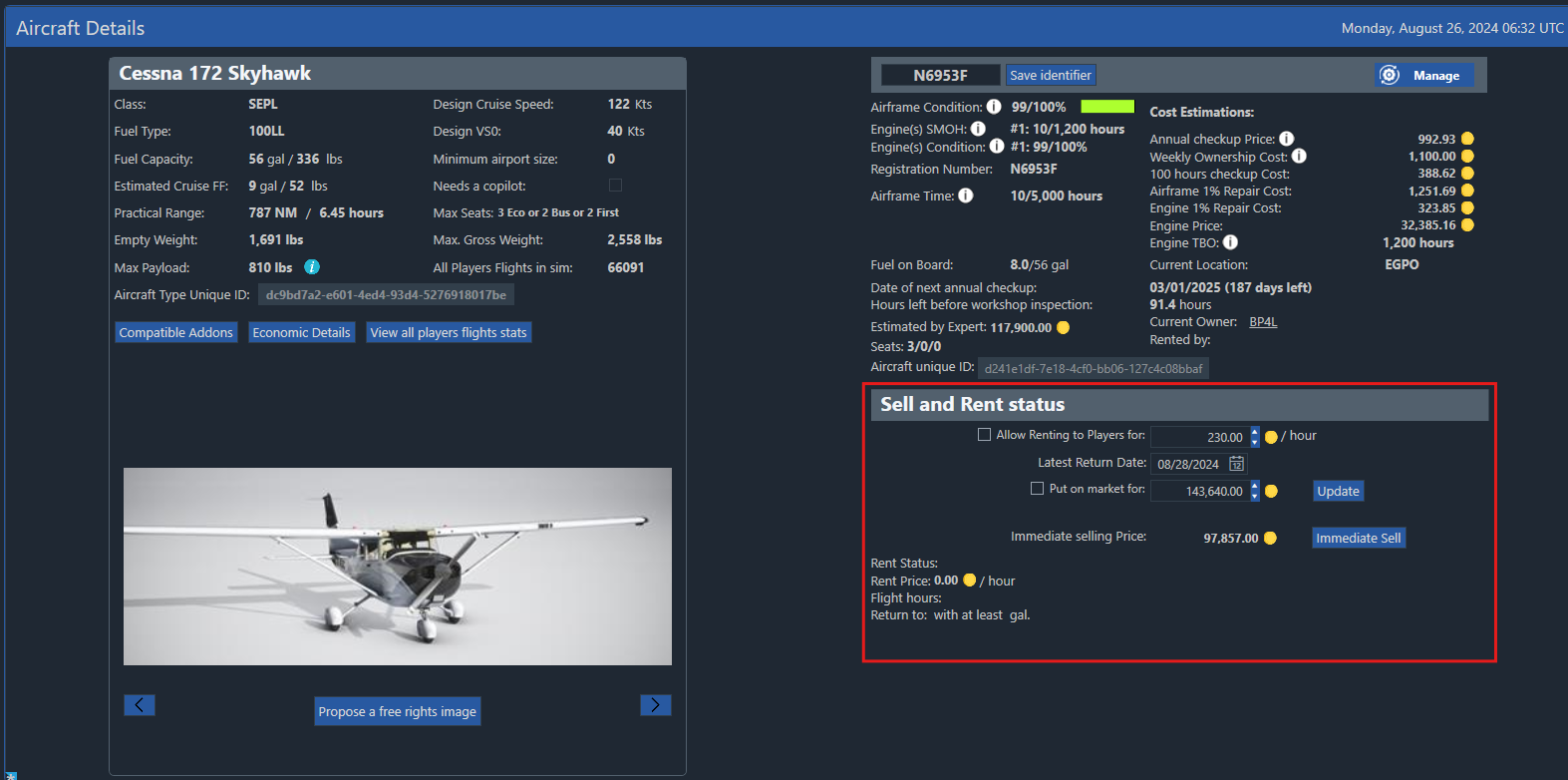
On the right-hand side, you will find all options related to:
- Renting the aircraft to other players
- Listing it for sale
- Immediate selling
¶ Renting Your Aircraft
To make your aircraft available for rental:
- Tick Allow Renting to Players
- Enter the rent price per flight hour
- Set the maximum rental date (after this date, the aircraft returns to your control)

Click Update to activate the rental listing.
Tips: It is worth checking how much the aircraft is usually rented for by other players and the ‘System’ owned ones. Players are more likely to rent your aircraft if you are a cheaper option.
¶ Selling Your Aircraft to Players
To list the aircraft for purchase:
- Tick Put on the market
- Enter the selling price you want
- Click Update

The Estimated by Expert value above the pricing section can help you choose a realistic market price.
You can remove the listing or change the price at any time by unticking the box and clicking Update again.
¶ Immediate Sell (Instant Liquidation)
If you do not want to wait for a buyer, you may use the Immediate sell option.
- This sells the aircraft instantly
- The value is lower than what you would get from another player
- This is the fastest way to free up cash
